

GTA 6 is out on PS5, PS5 Pro, Xbox Series X and Xbox Series S, and every version targets 30 FPS. But they don't look or run the same. Digital Foundry tested all four consoles at launch: here is the resolution, upscaling, ray tracing and frame rate on each one, and which console gives you the best GTA 6.
Quick answer: the PS5 Pro is the best way to play GTA 6 on console. It renders at 1440p and upscales to 4K with PSSR 2, which looks close to native 4K, it is the only console with ray-traced shadows, and it holds 30 FPS almost perfectly. The PS5 and Xbox Series X also render at 1440p, with a softer image and small frame rate dips in heavy action. The Xbox Series S drops to 720p (upscaled to 1080p with FSR 4) and dips below 30 FPS the most, down to 18–19 FPS in big fights.
GTA 6 on every console at a glance
| Console | Internal resolution | Output and upscaling | Ray tracing | Frame rate |
|---|---|---|---|---|
| PS5 Pro | 1440p | 4K with PSSR 2 (close to native 4K) | GI + reflections + shadows | 30 FPS held, 24 FPS only in extreme explosions |
| PS5 | 1440p | 4K with Rockstar's upscaler (softer) | GI + reflections | Small dips in normal play, 23 FPS in extreme explosions |
| Xbox Series X | 1440p | 4K with Rockstar's upscaler (softer) | GI + reflections | Mostly 30, about 20 FPS in the heaviest fights |
| Xbox Series S | 720p | 1080p with FSR 4 | GI + reflections (lower quality) | ~25 FPS in fights and chases, 18–19 FPS at worst |
GI = global illumination: realistic bounced light. All four consoles have ray-traced lighting and reflections, a first for a Rockstar game on console.
Resolution: same 1440p, very different sharpness
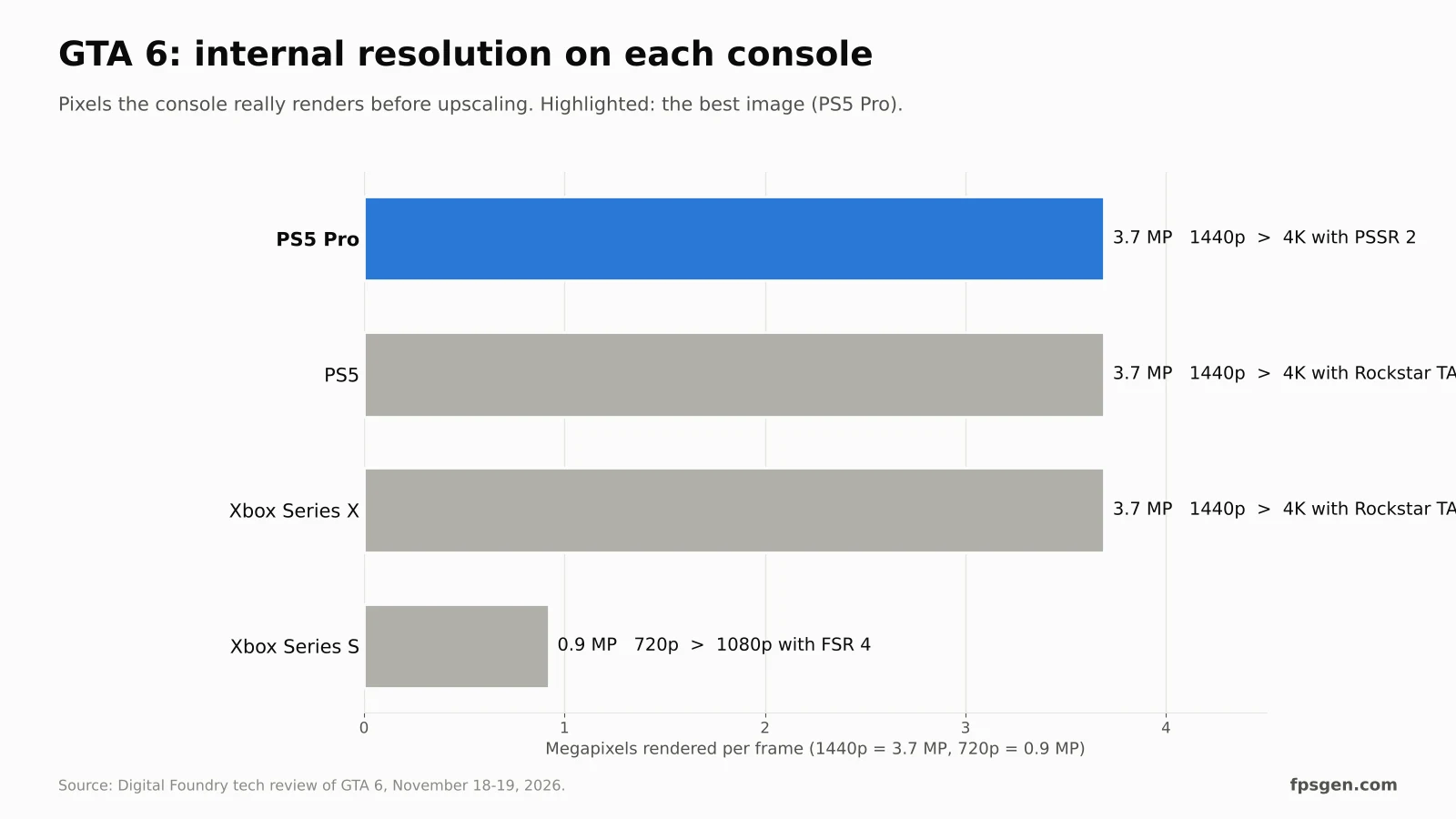
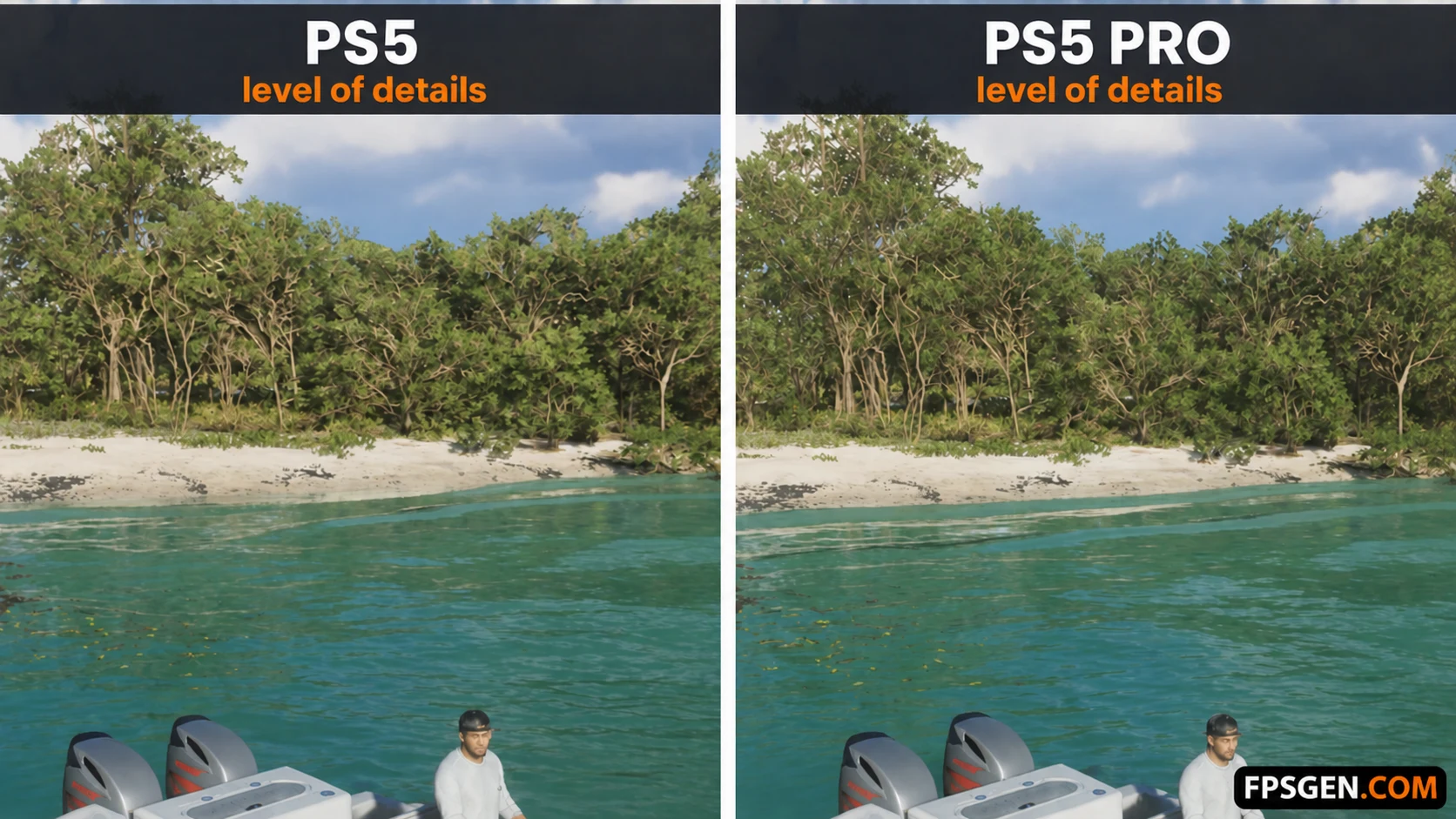
The PS5, PS5 Pro and Xbox Series X all render GTA 6 at 2560 x 1440. What changes is the upscaling to your 4K TV:
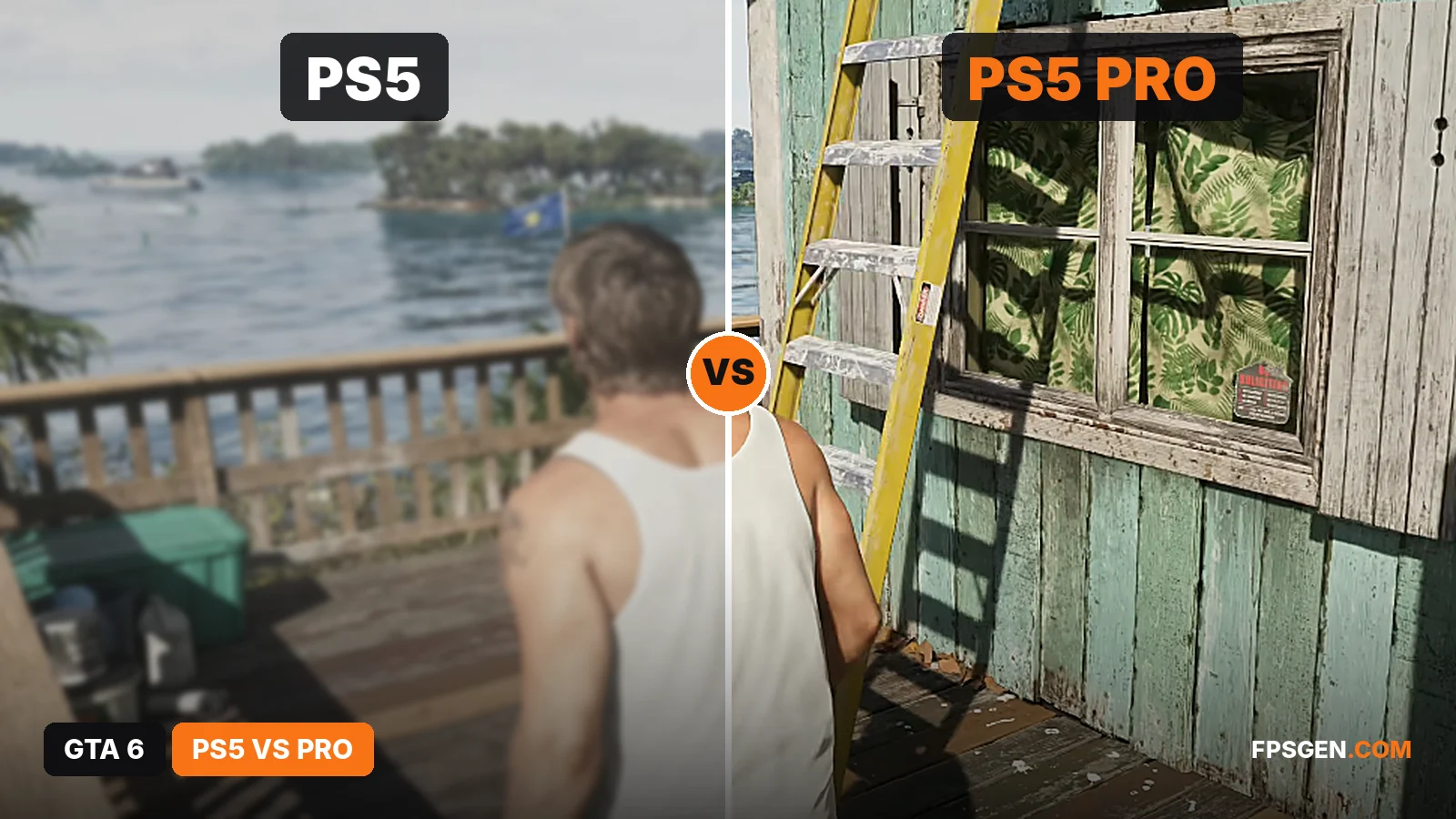
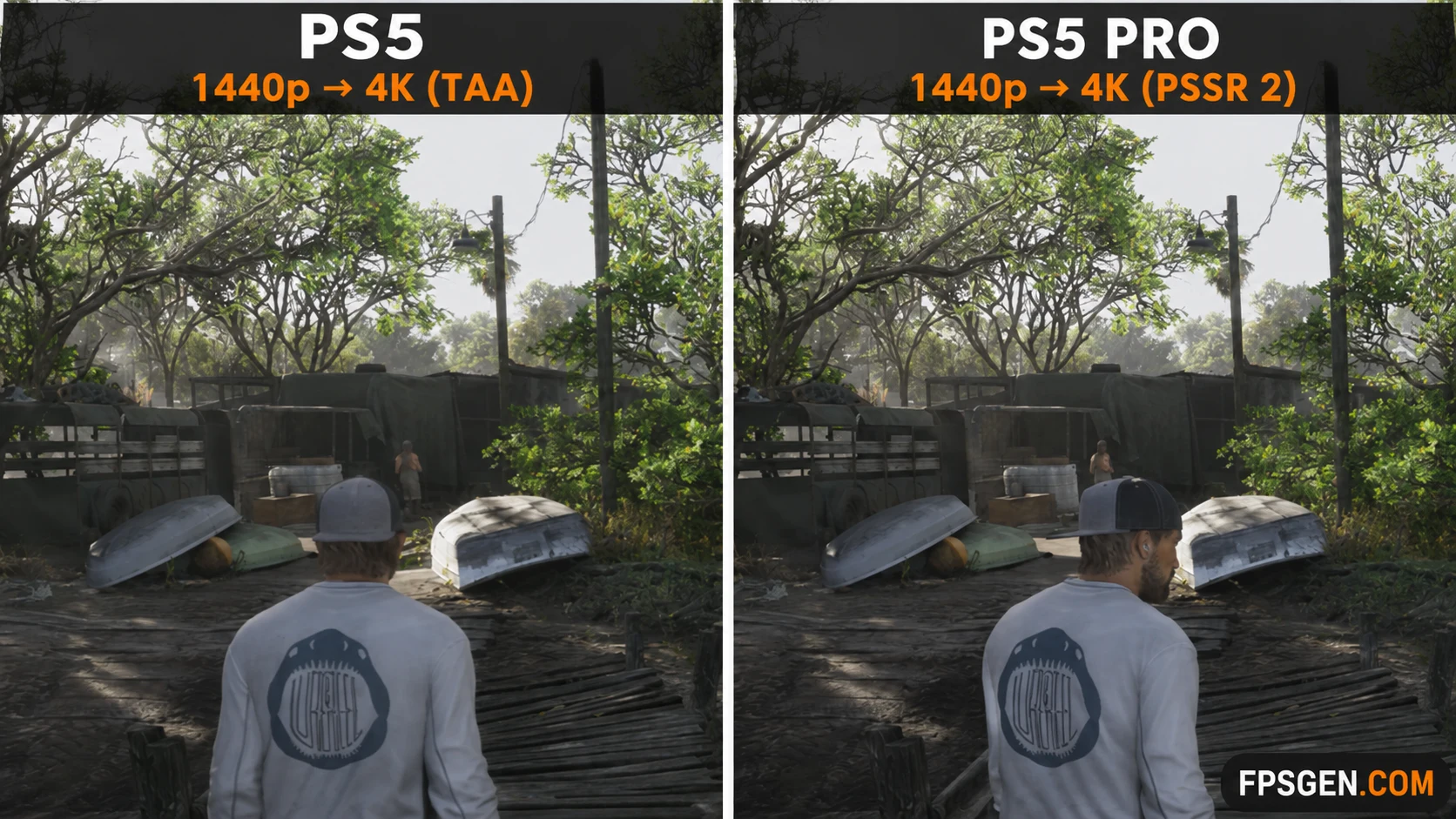
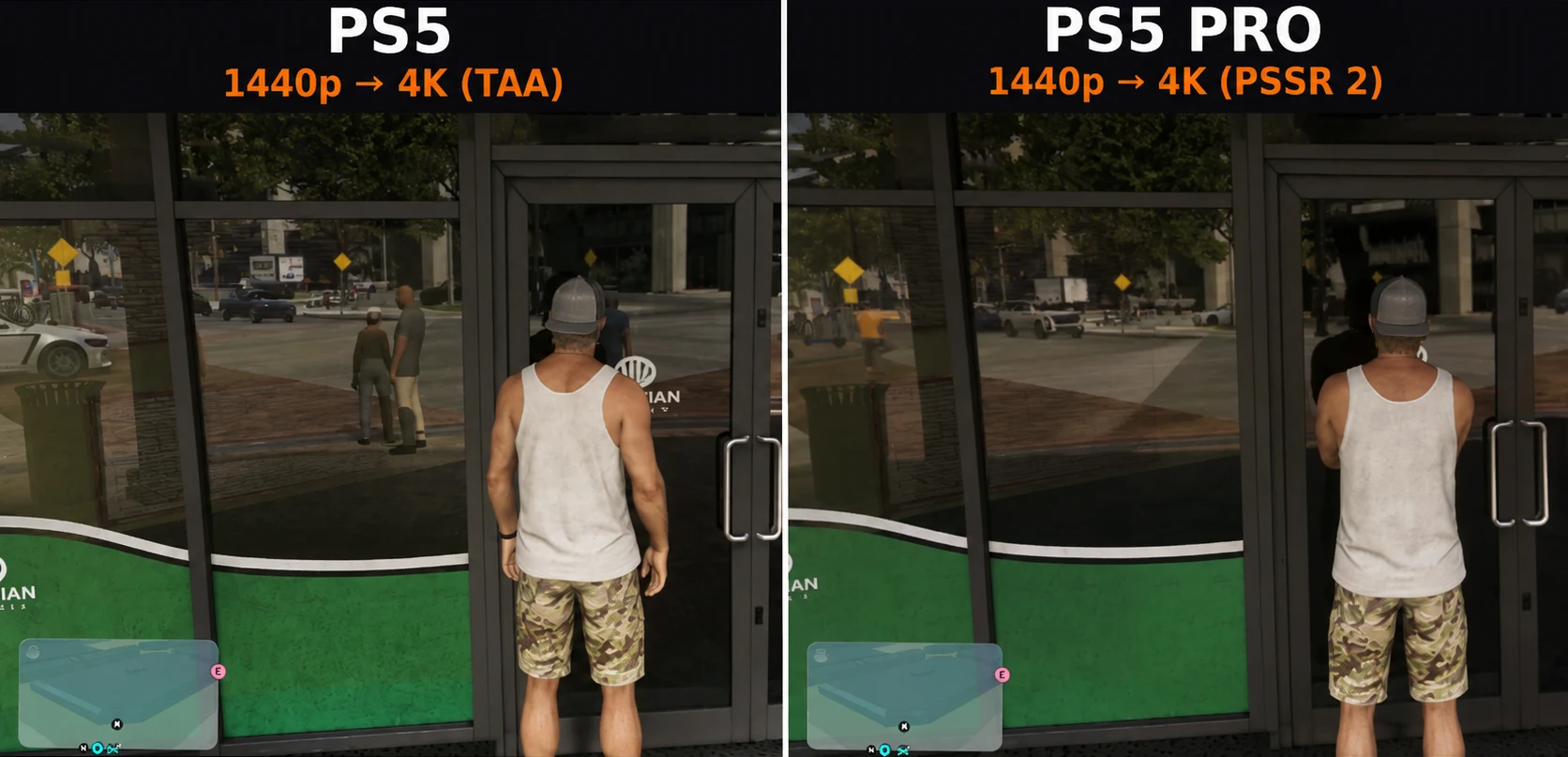
- PS5 Pro: uses PSSR 2, Sony's AI upscaler. Digital Foundry says the result is convincingly close to native 4K, with a much cleaner image in the distance.
- PS5 and Series X: use Rockstar's own upscaling. The image is clean up close but softer in the background, and it still looks like 1440p on a big 4K TV.
- Series S: renders at only 1280 x 720 and upscales to 1080p with AMD's FSR 4. Textures and details are noticeably simpler, and shadows and reflections are less sharp than on Series X.
Frame rate: who holds 30 FPS?
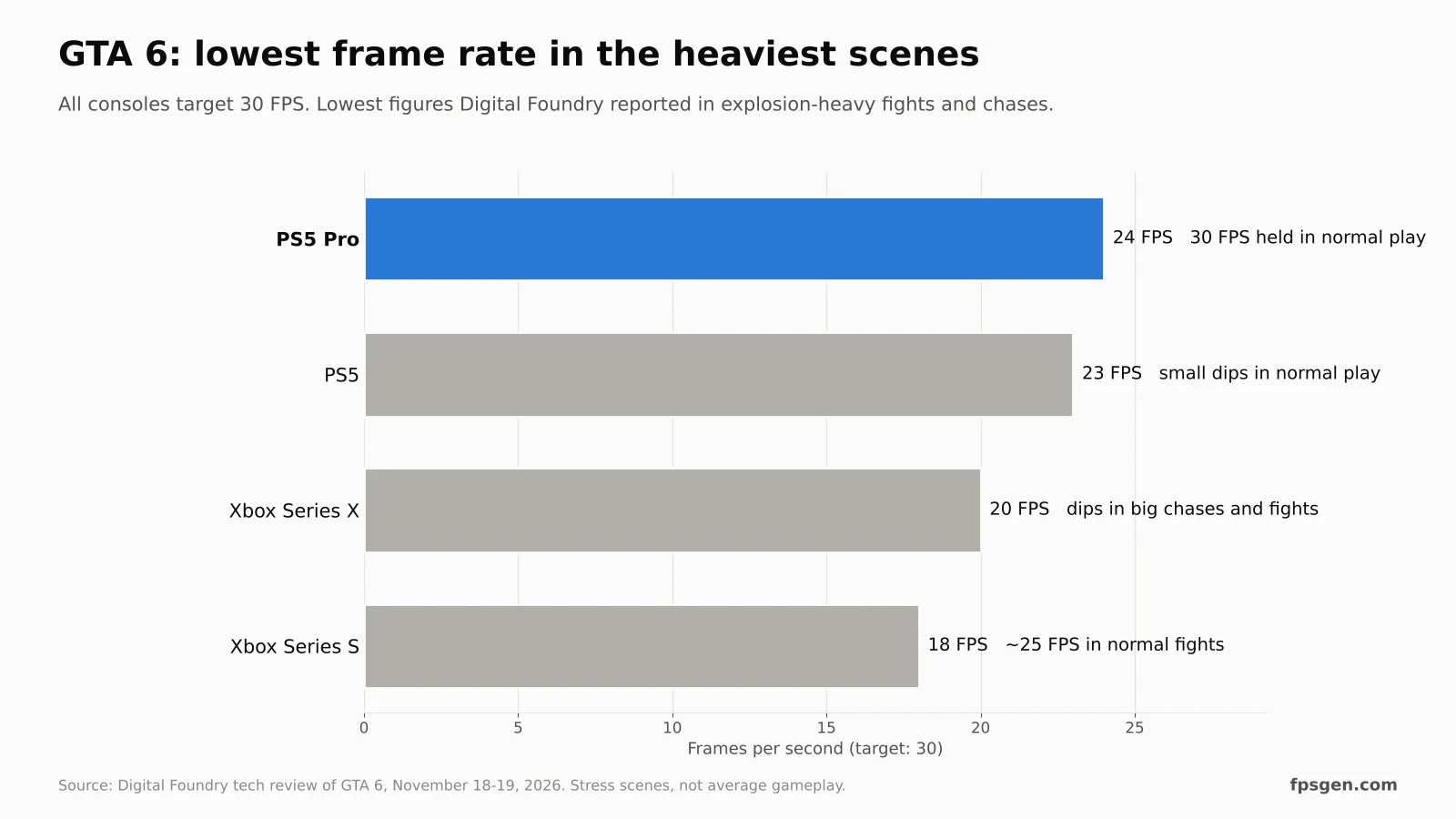
There is no 60 FPS mode and no performance mode on any console. Rockstar says even the PS5 Pro's processor can't run Leonida's simulation at 60 FPS. What differs is how well each console holds 30:
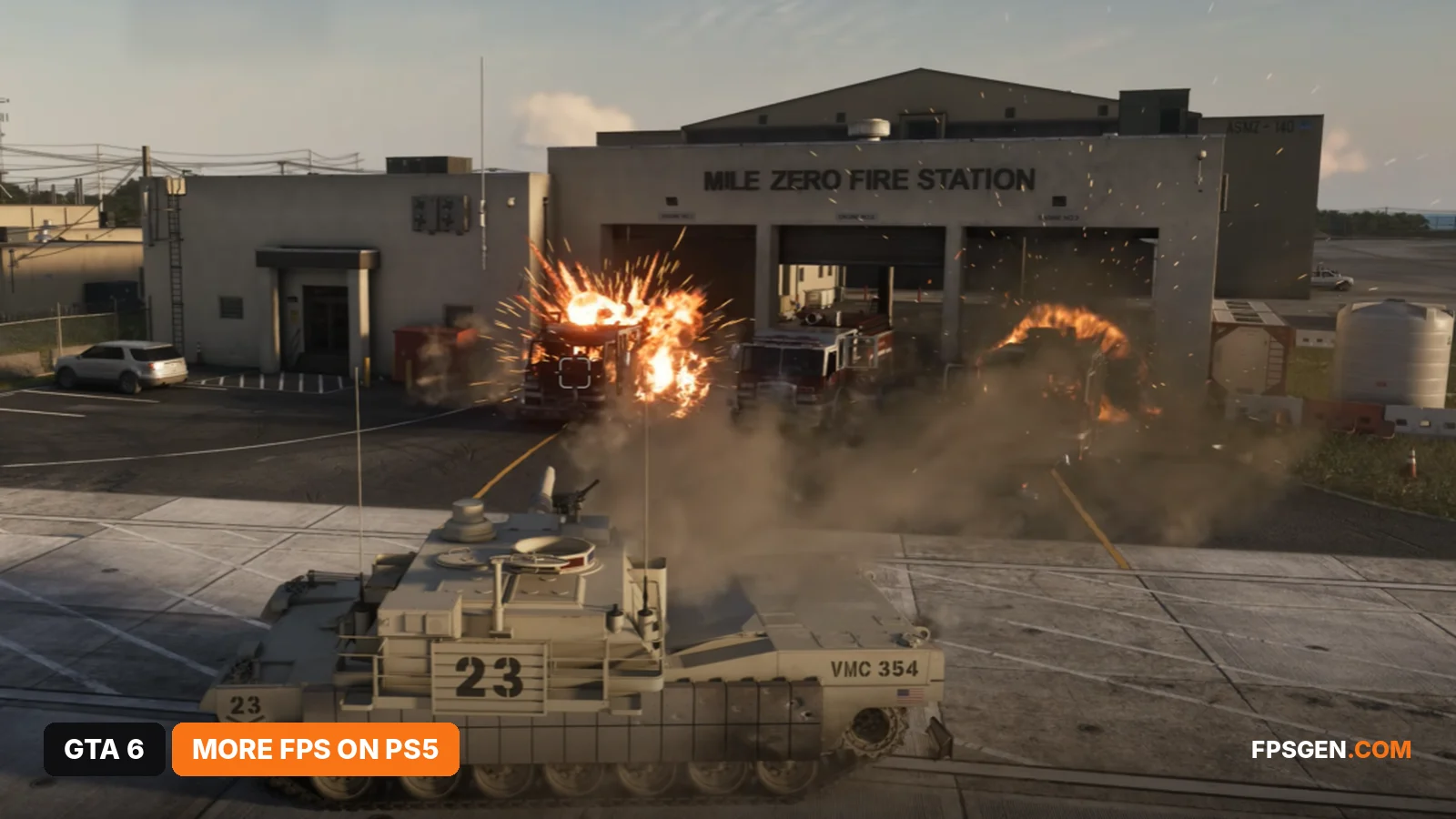
- PS5 Pro: a near-flawless 30 FPS with even frame pacing. Digital Foundry's John Linneman played for more than 50 hours without a noticeable drop. Only a deliberate stress test, with a grenade launcher blowing up cars, brought it down to 24 FPS.
- PS5: small, noticeable dips during normal play. In big explosion-heavy fights it drops to the mid-20s (23 FPS) and can stay there until the action calms down.
- Xbox Series X: mostly 30 FPS, with dips in intense chases and shootouts, down to about 20 FPS in the most demanding combat.
- Xbox Series S: about 25 FPS in ordinary fights and car chases, 20 FPS in heavier scenes and 18–19 FPS at worst.
Want the full story behind the 30 FPS target? See GTA 6 is 30 FPS on every console, even PS5 Pro.
What the PS5 Pro adds
- PSSR 2 upscaling: the sharpest image of any console, especially for distant buildings, palm trees and the Vice City skyline.
- Ray-traced shadows: they replace the usual shadow maps, with soft edges and accurate contact shadows under cars, people and trees. No other console has them.
Is a PS5 Pro worth buying just for GTA 6? If you play on a large 4K TV and want the best version, yes, it is clearly the best one. If you already own a PS5, the game is the same game at the same 30 FPS target: you get a softer image and some dips in big fights, not a different experience.
PS5 vs Xbox Series X
Both render at 1440p with Rockstar's upscaler and the same ray-traced lighting and reflections, so they look very close. Digital Foundry found the most dips on Series X in the heaviest combat (about 20 FPS), and the base PS5 in explosion-heavy scenes (mid-20s). Neither has the PS5 Pro's ray-traced shadows. If you already own one, there is no reason to switch.
Xbox Series S: playable, with compromises
The Series S runs the full game, but it is the weakest version: 720p upscaled to 1080p, simpler textures and the most frame rate drops. It is fine on a 1080p TV or monitor, less so on a big 4K TV. Remember that GTA 6 takes up to 212 GB, about 58% of the free space on a 512 GB Series S. Details in GTA 6 on Xbox Series S and GTA 6 File Size.
Xbox One via the cloud: Xbox Cloud Gaming streams GTA 6 with Series S settings, so it looks like the Series S version, with some streaming compression on top. See GTA 6 on Xbox One.
Which console is best for GTA 6?
- PS5 Pro: best image and the steadiest 30 FPS. The best way to play.
- PS5 / Xbox Series X: the same 1440p, softer at a distance, some dips in big fights.
- Xbox Series S: 720p and the most drops, but the full game.
Whatever you play on, turn on your TV's Game Mode and turn off motion smoothing: at 30 FPS, input lag matters more. No PC version yet: see GTA 6 PC release date.
Best settings for your console
Set up the game, your console and your TV for the sharpest 30 FPS: GTA 6 Best Settings for PS5 and PS5 Pro and GTA 6 Best Settings for Xbox Series X|S.
Frame drops on PS5?
How to stop GTA 6 dropping below 30 FPS, cut input lag, and the PS5 "fixes" that do nothing: How to Increase FPS in GTA 6 on PS5.
FAQ
Does GTA 6 look better on PS5 Pro?
Yes. It renders at the same 1440p as the PS5, but PSSR 2 upscaling gives a much sharper image close to 4K, and only the PS5 Pro has ray-traced shadows.
What resolution is GTA 6 on PS5?
1440p (2560 x 1440), upscaled to 4K with Rockstar's own upscaler.
Is GTA 6 60 FPS on PS5 Pro?
No. Every console targets 30 FPS. The PS5 Pro holds it best, at a near-flawless 30 FPS.
Does GTA 6 drop frames on PS5?
A little. Digital Foundry saw small dips in normal play and drops to the mid-20s in explosion-heavy fights.
What resolution is GTA 6 on Xbox Series S?
720p, upscaled to 1080p with AMD FSR 4.
Is GTA 6 better on PS5 or Xbox Series X?
They are very close: both render at 1440p with the same ray-traced lighting. The PS5 Pro is the only version that is clearly better.
Sources: Digital Foundry's GTA 6 tech review (John Linneman, Oliver Mackenzie), as reported by MobiDevices, TweakTown, GameGPU and VGTimes. Last checked November 18, 2026.

Gaming writer at FpsGen. Guides and reviews are built on official sources, patch notes and real player data.
Comments
No comments yet. Start the conversation.