


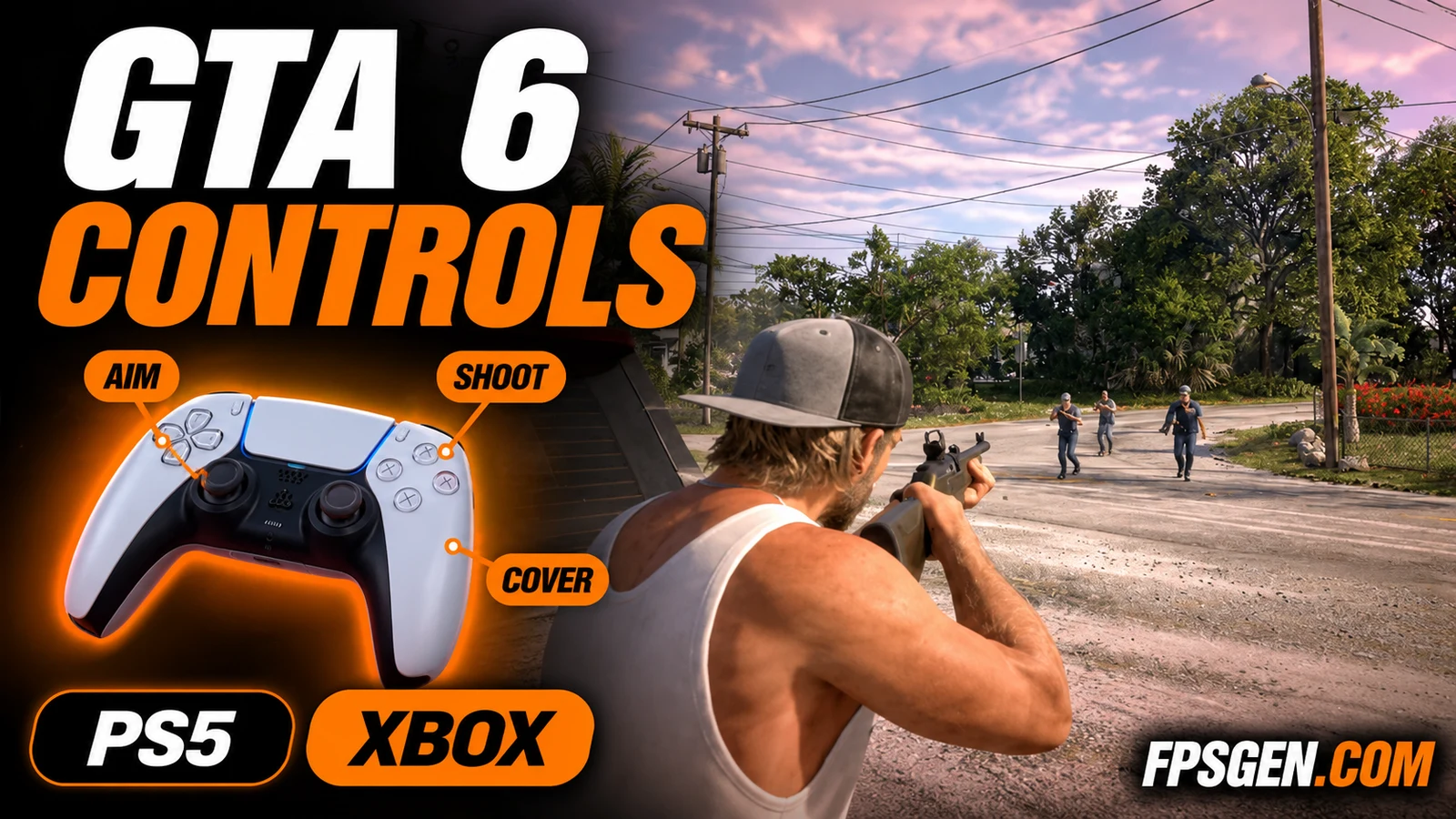
GTA 6 has a new control layout, and a few things have moved since GTA 5: running is now on L3, cover is on R1, and the phone app is on the D-pad. Here is every GTA 6 control on PS5 and Xbox Series X|S, on foot, in fights, in cars, boats, planes, on a bike, swimming and with a parachute, using the Default control scheme.
Quick answer: move with the left stick, run with L3 / LS, jump with ✕ / A, aim with L2 / LT and shoot with R2 / RT. Take cover with R1 / RB, switch shoulder while aiming with D-pad Left, and holster your weapon with L1 / LB. In a car, R2 / RT accelerates, L2 / LT brakes, ✕ / A is the handbrake and △ / Y gets you out. The map is on the touchpad / View button.
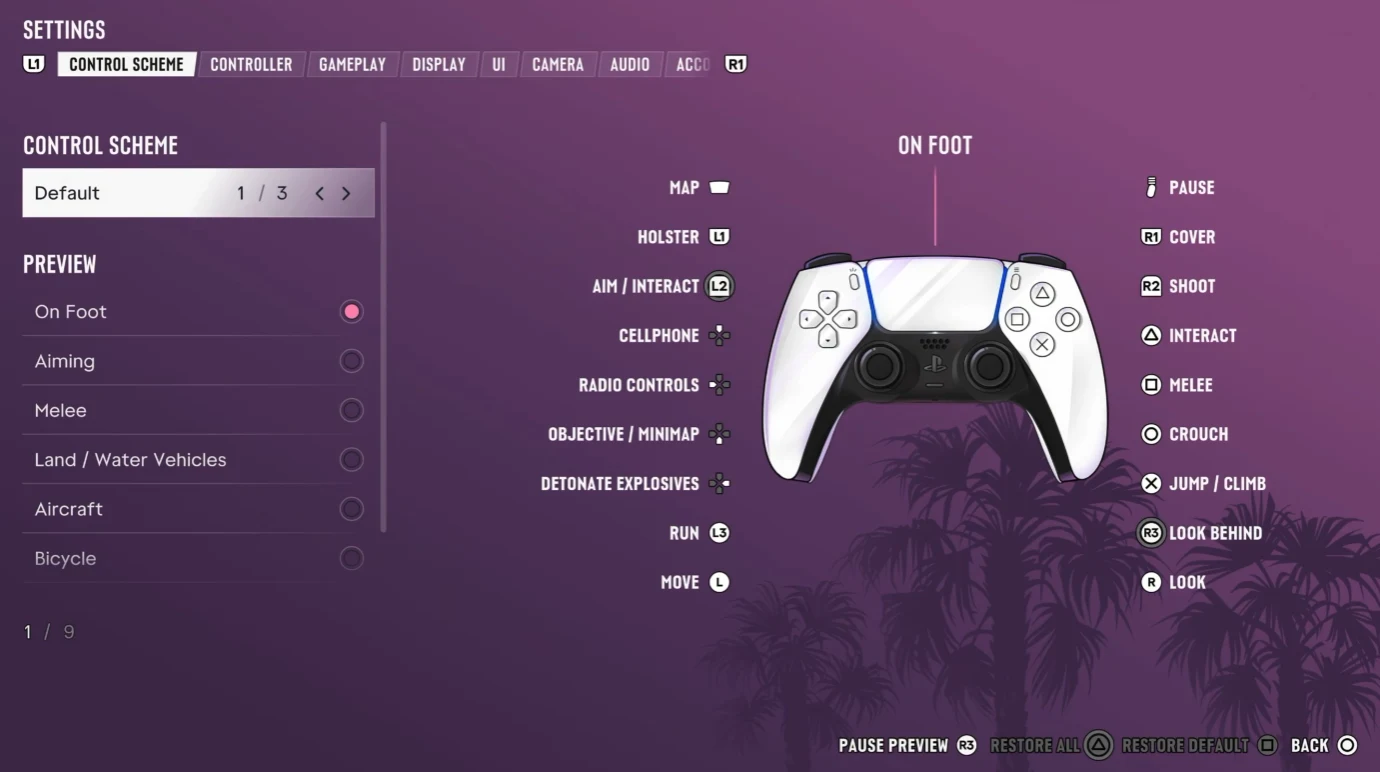
On foot
| Action | PS5 | Xbox Series X|S |
|---|---|---|
| Move | Left stick | Left stick |
| Look around | Right stick | Right stick |
| Run | L3 (press left stick) | LS (press left stick) |
| Jump / climb | ✕ | A |
| Interact | △ (or L2) | Y (or LT) |
| Melee | □ | X |
| Crouch | ○ | B |
| Aim | L2 | LT |
| Shoot | R2 | RT |
| Take cover | R1 | RB |
| Holster weapon | L1 | LB |
| Phone | D-pad Up | D-pad Up |
| Radio | D-pad Left | D-pad Left |
| Objective / minimap | D-pad Down | D-pad Down |
| Detonate explosives | D-pad Right | D-pad Right |
| Look behind | R3 | RS |
| Map | Touchpad | View |
| Pause | Options | Menu |
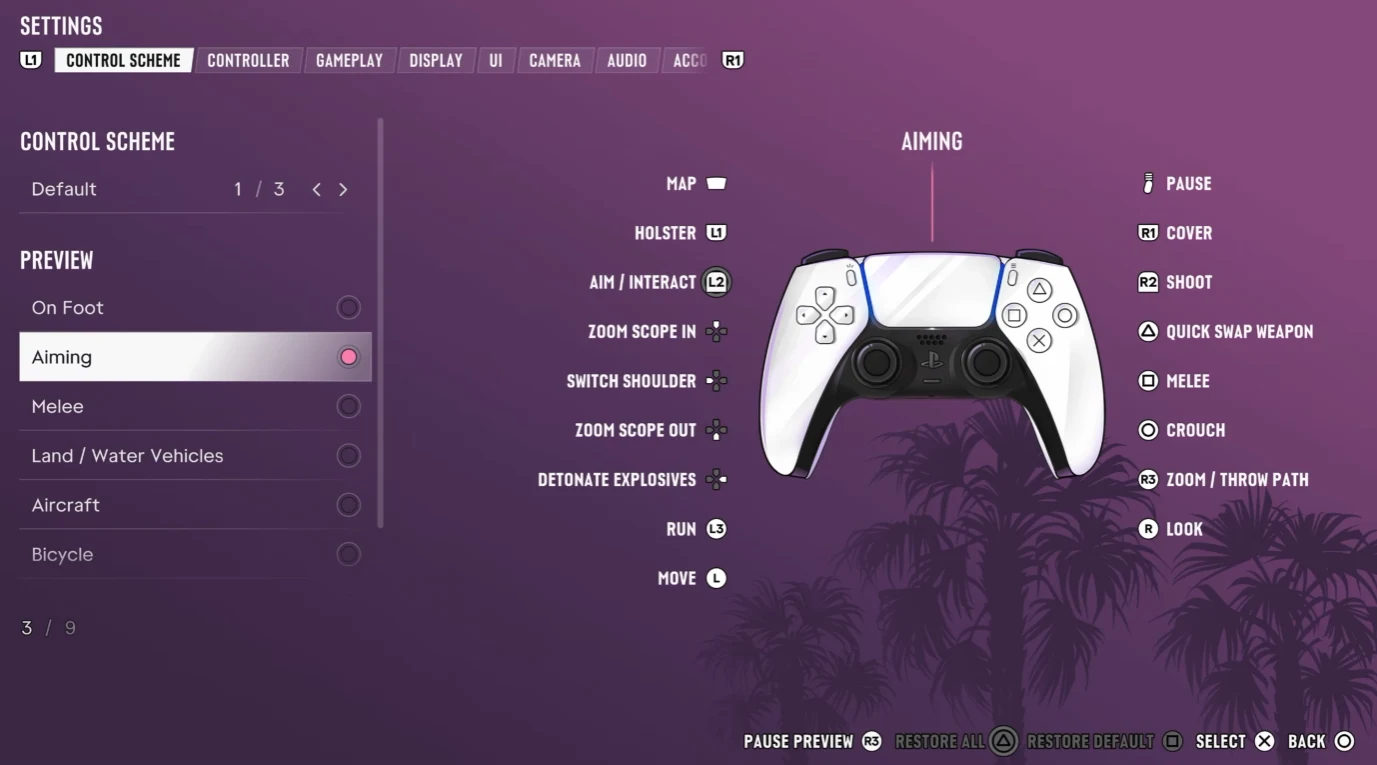
Aiming and shooting
| Action | PS5 | Xbox Series X|S |
|---|---|---|
| Aim | L2 | LT |
| Shoot | R2 | RT |
| Switch shoulder | D-pad Left | D-pad Left |
| Quick swap weapon | △ | Y |
| Crouch | ○ | B |
| Zoom / throw path | R3 | RS |
| Zoom scope in / out | D-pad Up / Down | D-pad Up / Down |
| Detonate explosives | D-pad Right | D-pad Right |
| Holster weapon | L1 | LB |

Shoulder swap is the control most players look for: hold aim, then press D-pad Left to move the camera to the other shoulder. Use it in cover to shoot around the left side of a wall. More combat tips in GTA 6 Tips for Beginners.
Melee
| Action | PS5 | Xbox Series X|S |
|---|---|---|
| Lock on / strafe | L2 | LT |
| Punch / kick | □ | X |
| Grapple | R2 | RT |
| Block / dodge | ✕ | A |
Cars, motorbikes and boats
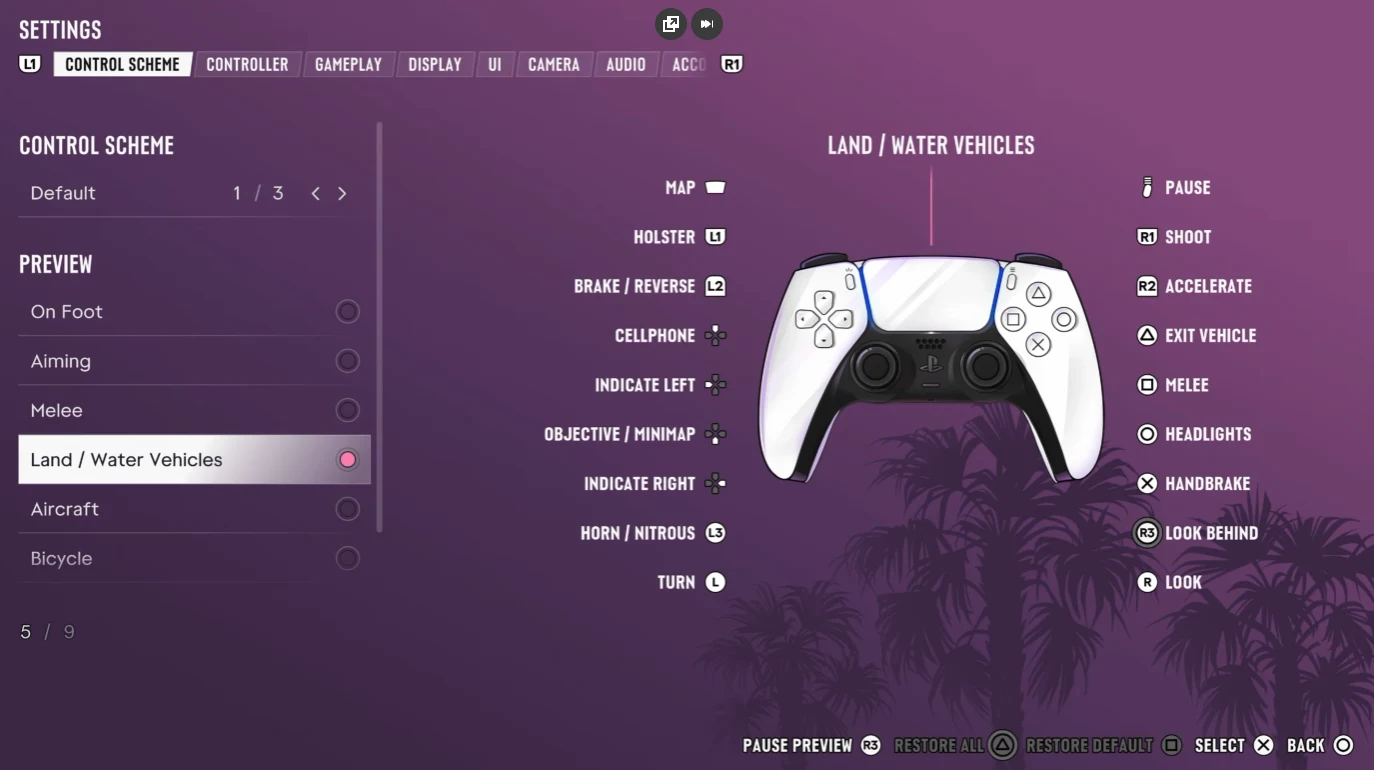
| Action | PS5 | Xbox Series X|S |
|---|---|---|
| Accelerate | R2 | RT |
| Brake / reverse | L2 | LT |
| Steer | Left stick | Left stick |
| Handbrake | ✕ | A |
| Exit vehicle | △ | Y |
| Shoot (drive-by) | R1 | RB |
| Melee | □ | X |
| Headlights | ○ | B |
| Horn / nitrous | L3 | LS |
| Look behind | R3 | RS |
| Phone | D-pad Up | D-pad Up |
| Indicate left / right | D-pad Left / Right | D-pad Left / Right |
| Objective / minimap | D-pad Down | D-pad Down |
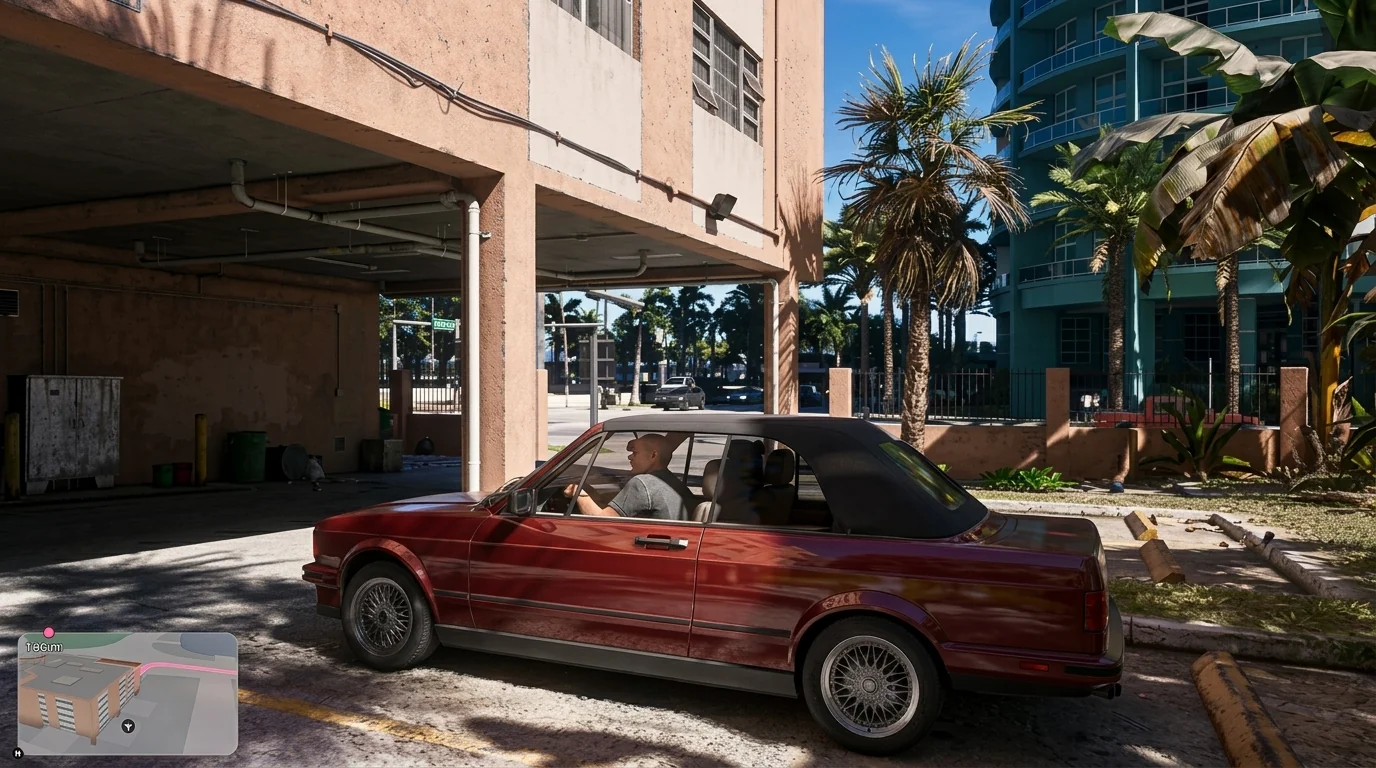
Every car now has its own stats (speed, acceleration, asphalt and off-road handling, strength): see the GTA 6 Cars Database.
Planes and helicopters
| Action | PS5 | Xbox Series X|S |
|---|---|---|
| Throttle up | R2 | RT |
| Throttle down | L2 | LT |
| Pitch / roll | Left stick | Left stick |
| Yaw left / right | □ / ○ | X / B |
| Shoot | R1 | RB |
| Landing gear | L3 | LS |
| Exit | △ | Y |
Bicycle
| Action | PS5 | Xbox Series X|S |
|---|---|---|
| Pedal | R2 | RT |
| Brake / reverse | L2 | LT |
| Sprint | ✕ | A |
| Bunnyhop | ○ | B |
| Bell | L3 | LS |
| Dismount | △ | Y |
Swimming and parachute
| Action | PS5 | Xbox Series X|S |
|---|---|---|
| Swim faster | L3 | LS |
| Dive | R1 | RB |
| Surface | ✕ | A |
| Open parachute | ✕ | A |
| Steer parachute left / right | L2 / R2 | LT / RT |
| Detach parachute | △ | Y |

D-pad shortcuts
The D-pad changes with what you are doing. On foot, D-pad Up opens the phone (with the WAiNK app), D-pad Left the radio, D-pad Down shows the objective and minimap, and D-pad Right detonates explosives. When aiming, Up and Down zoom the scope and Left switches shoulder. In a car, Left and Right are the turn indicators.
Change the controls
Go to Settings > Control Scheme. GTA 6 has three layouts; Default is the first, and you can preview each one in every situation (on foot, aiming, melee, cars, boats, aircraft and bicycles) before choosing. In the same tab you can pick the aiming method (Lock-On, Partial or Free Aim) and the aim assist strength from 0 to 5. Our recommended values are in GTA 6 Best Settings for PS5 and for Xbox.
FAQ
How do you switch shoulders in GTA 6?
Hold aim (L2 / LT) and press D-pad Left. The camera moves to the other shoulder.
How do you run in GTA 6?
Press L3 on PS5 or LS on Xbox (click the left stick). Running is no longer on ✕ / A in the Default scheme.
How do you take cover in GTA 6?
Press R1 on PS5 or RB on Xbox near a wall or an object.
How do you open the phone in GTA 6?
Press D-pad Up. The phone has the WAiNK app, which shows what a car is worth.
Can you change the controls in GTA 6?
Yes. Settings > Control Scheme has three layouts, plus aiming method and aim assist options.
How do you switch between Jason and Lucia?
We are checking the exact button in the game and will add it here. Switching only works when both characters are available in the same mission or free-roam moment.
Sources: the GTA 6 Control Scheme screens (Default layout), checked against Consolyte (recorded on PS5 Pro on launch night) and Spottis (PS5 and Xbox); HUD and DualSense notes from Playhub. Default control scheme. Last checked November 19, 2026.

Gaming writer at FpsGen. Guides and reviews are built on official sources, patch notes and real player data.

Comments
No comments yet. Start the conversation.