



GTA 6 takes up to 212 GB, and every GTA 6 copy is a download, even the boxed one. On an original PS5, that is a third of the console's usable space for one game. The fix is an M.2 SSD in the PS5's expansion slot: it takes ten minutes, and GTA 6 runs from it exactly as fast as from the internal drive. Here is how much space you have, which SSD to buy at each budget, and how to install it and move GTA 6.
Quick answer: buy a PCIe Gen4 M.2 NVMe SSD with 5,500 MB/s or faster and a heatsink. Our picks: WD_BLACK SN850X 2 TB with heatsink ($370–440) as the best overall, Samsung 9100 Pro 2 TB ($400) as the fastest, Kingston NV3 1 TB ($156) on a budget, and Team Group MP44 4 TB ($326) for the most space per dollar. Add a $10–15 heatsink to any drive sold without one. On Xbox, you need a Storage Expansion Card instead.
How much space GTA 6 takes on your console
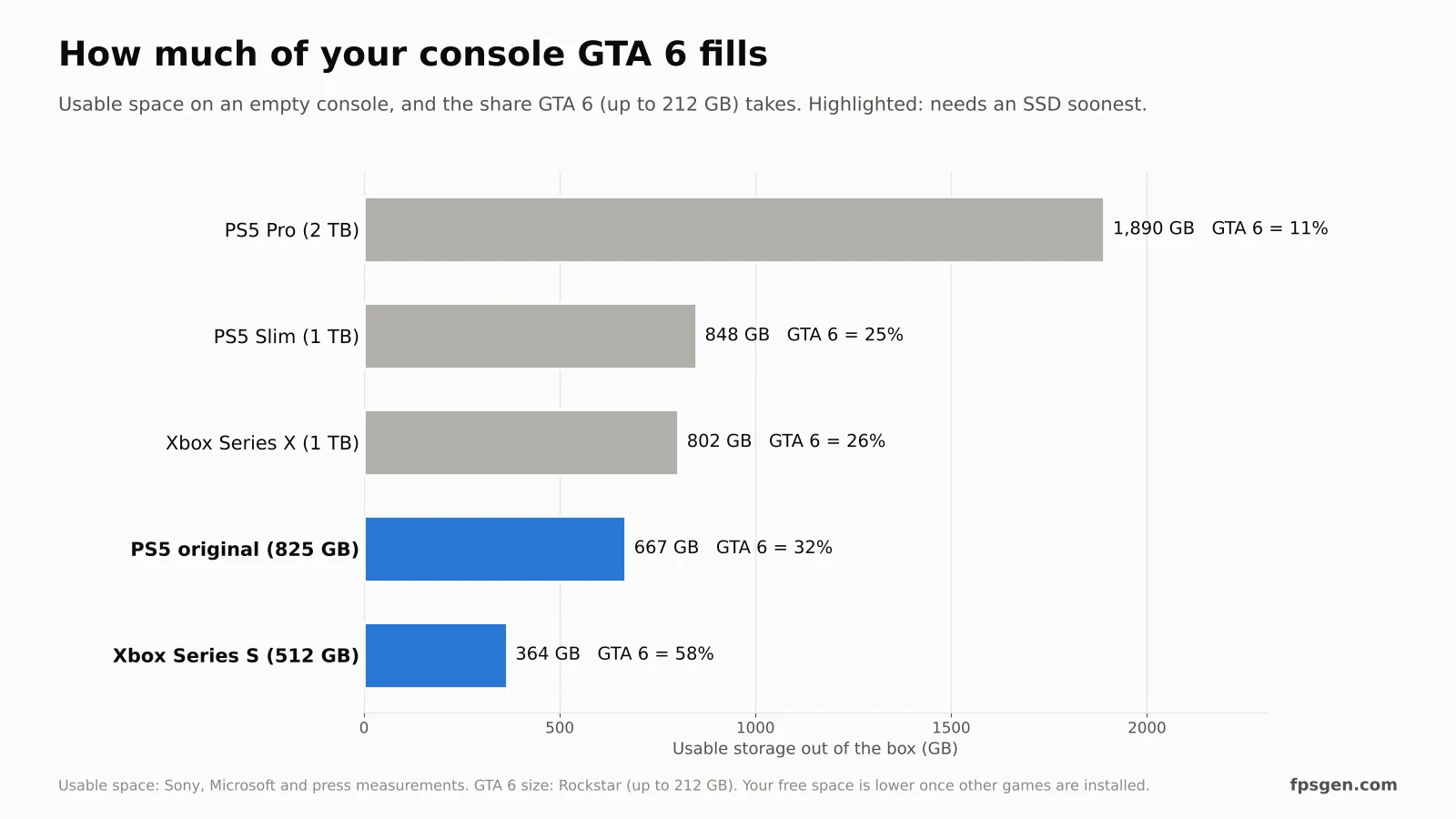
| Console | Usable space | GTA 6 takes | Do you need more storage? |
|---|---|---|---|
| PS5 original (825 GB) | ~667 GB | 32% | Yes, if you keep other big games |
| PS5 Slim (1 TB) | ~848 GB | 25% | Soon, with 2–3 other big games |
| PS5 Pro (2 TB) | ~1.89 TB | 11% | Not for now |
| Xbox Series X (1 TB) | ~802 GB | 26% | Soon, with 2–3 other big games |
| Xbox Series S (512 GB) | ~364 GB | 58% | Yes, almost certainly |
GTA 6 also needs room for updates. Leave at least 50 GB free after installing it. More details in GTA 6 File Size.
What SSD works in a PS5
Sony's requirements for the M.2 slot, on every PS5 model (original, Slim and Pro):
- Type: M.2 NVMe SSD, PCIe Gen4 x4 (M key). SATA M.2 drives don't work.
- Speed: 5,500 MB/s read or faster recommended. Slower Gen4 drives work, but Sony doesn't recommend them.
- Capacity: 250 GB to 8 TB.
- Size: 2230, 2242, 2260, 2280 or 22110. Most drives are 2280.
- Cooling: a heatsink (or heat transfer sheet) is required. With the heatsink, the drive must be no more than 25 mm wide and 11.25 mm thick.
- PCIe Gen5 drives work too, but run at Gen4 speed in a PS5.
Games run from the M.2 SSD with the same loading times as the internal drive. A USB drive is not enough for GTA 6: PS5 games can be stored on USB, but they have to be moved back to an SSD to play.
The best PS5 SSDs for GTA 6
| SSD | Capacity | Read speed | Heatsink | Price (Nov 2026) | Best for |
|---|---|---|---|---|---|
| WD_BLACK SN850X | 2 TB | 7,300 MB/s | Yes (heatsink version) | ~$370–440 | Best overall, plug and play |
| Samsung 9100 Pro | 2 TB | 14,700 MB/s (Gen4 speed in PS5) | No | ~$400 | Fastest, future-proof |
| Samsung 990 Pro | 2 TB | 7,450 MB/s | Optional | ~$400 (more with heatsink) | Proven, reliable |
| WD_BLACK SN850X | 1 TB | 7,300 MB/s | Optional | ~$260 | 1 TB with a top brand |
| Biwin Black Opal NV7400 | 1 TB | 7,400 MB/s | No | ~$175 | Fast 1 TB for less |
| Kingston NV3 | 1 TB | 6,000 MB/s | No | ~$156 | Cheapest that meets Sony's speed |
| Team Group MP44 | 4 TB | 7,400 MB/s | No | ~$326 | Most space per dollar |
Our picks:
- Best overall: WD_BLACK SN850X 2 TB with heatsink. The heatsink version is already fitted and fits the PS5 slot: nothing else to buy, and 2 TB holds GTA 6 plus six or seven other big games.
- On a budget: Kingston NV3 1 TB. It is above Sony's 5,500 MB/s and costs the least, but it has no DRAM cache, so very long file copies are slower. For playing GTA 6, you won't notice. Add a heatsink.
- Most space: Team Group MP44 4 TB. Four times the space for less than many 2 TB drives. Add a heatsink.
Avoid drives below 5,500 MB/s, such as the Patriot P410 or Silicon Power UD90: they work, but Sony doesn't recommend them.
SSD prices have gone up in 2026 and change every week: check the current price before you buy.
How to install an SSD in your PS5
You need a small Phillips screwdriver (#1). The console must be off and unplugged.
- Update your PS5 to the latest system software first.
- Turn the PS5 off completely (not rest mode), unplug every cable and let it cool for a few minutes.
- Remove the cover:
- Original PS5: lay it flat with the PS logo facing down and the power button towards you, then lift the back corner of the white cover and slide it off.
- PS5 Slim and PS5 Pro: remove the cover panel as shown in Sony's guide for your model; the M.2 slot sits under it, behind a small metal cover.
- Unscrew the expansion slot cover, then the screw and the spacer inside.
- Move the spacer to the hole that matches your SSD's length (80 for a 2280 drive).
- Insert the SSD at an angle into the connector, press it down and fix it with the screw.
- Put the slot cover and the console cover back, plug everything in and turn the PS5 on.
- The PS5 asks to format the SSD: confirm. It takes a minute or two.
How to move GTA 6 to the new SSD
- Go to Settings > Storage > Console Storage > Games and Apps.
- Choose Move items, select Grand Theft Auto VI and confirm.
- To install future games on the SSD directly: Settings > Storage > Installation Location > PS5 Games and pick M.2 SSD Storage.
GTA 6 runs from the M.2 SSD with the same performance as from the internal drive. Not sure the game is running well? See GTA 6 Best Settings for PS5 and PS5 Pro.
Xbox Series X|S: you need an expansion card
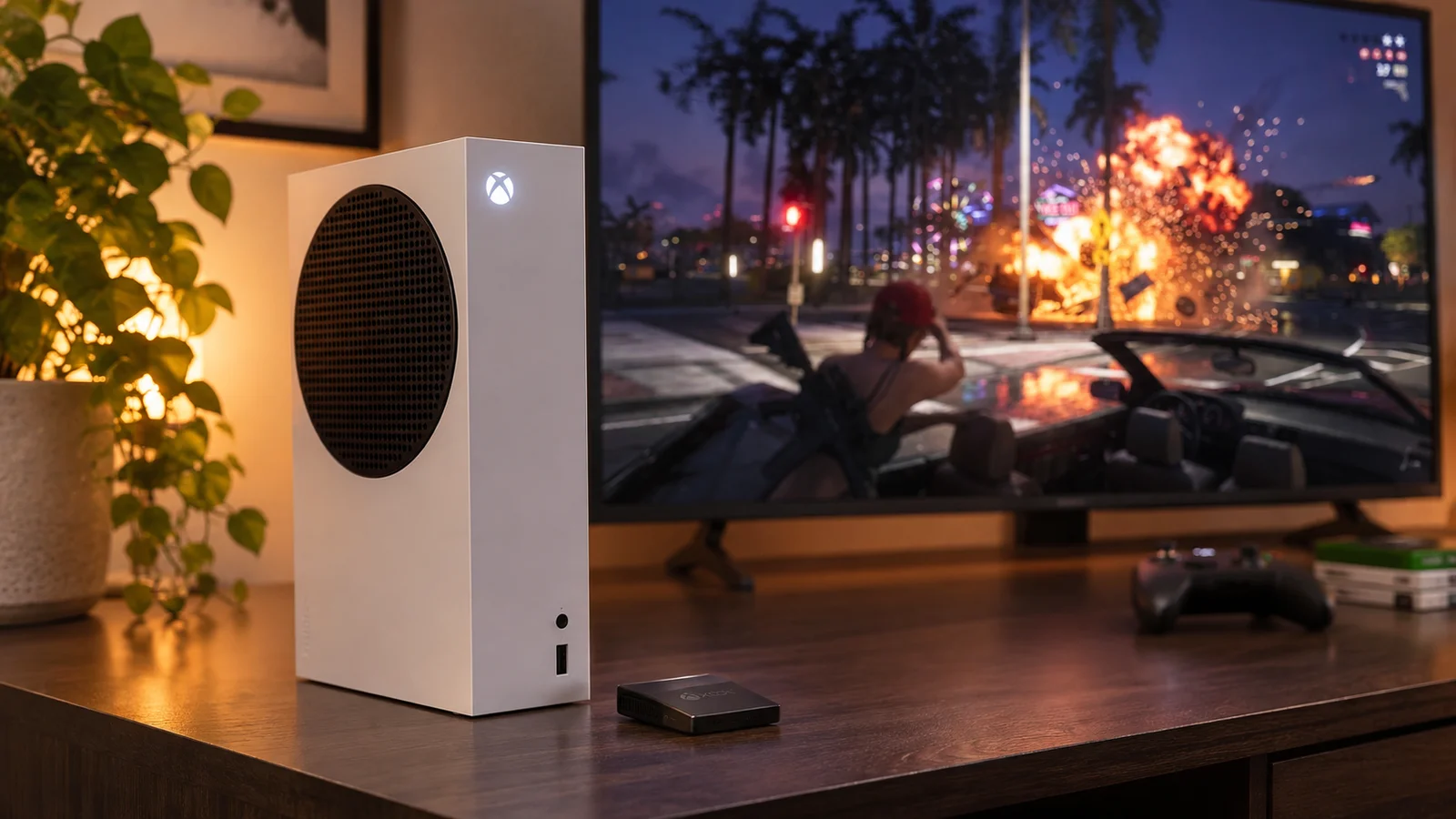
The Xbox has no M.2 slot. To play GTA 6 from extra storage, you need a Storage Expansion Card, which plugs into the back of the console, with no tools:
| Card | Capacity | Price (Nov 2026) |
|---|---|---|
| WD_BLACK C50 | 1 TB | ~$150–240 |
| Seagate Storage Expansion Card | 2 TB | ~$250–400 |
| SanDisk Optimus GX C50 | 2 TB | ~$480 |
A USB drive can store Xbox Series X|S games but can't run them: you'd have to move GTA 6 back to the internal SSD every time. On a Series S, an expansion card is the only way to keep GTA 6 and more than one or two other big games. More in GTA 6 on Xbox Series S.
FAQ
Do I need an SSD for GTA 6 on PS5?
Not to play it, if you have about 260 GB free (212 GB for the game plus room for updates). You need one if your PS5 is full, especially on an original 825 GB PS5.
What is the best SSD for PS5 for GTA 6?
The WD_BLACK SN850X 2 TB with heatsink: fast, made for the PS5, and nothing else to buy. On a budget, the Kingston NV3 1 TB with an added heatsink.
Does GTA 6 run faster on an M.2 SSD?
No faster and no slower: an SSD that meets Sony's 5,500 MB/s recommendation gives the same loading times as the PS5's internal drive.
Can I play GTA 6 from an external USB drive?
No. PS5 and Xbox Series X|S games can be stored on USB, but they must be on the internal SSD, an M.2 SSD (PS5) or an expansion card (Xbox) to play.
Do I need a heatsink for a PS5 SSD?
Yes. Sony requires a heatsink or a heat transfer sheet. Buy a drive with one fitted, or add a PS5 heatsink for about $10–15.
Does a PCIe 5.0 SSD work in a PS5?
Yes, but it runs at PCIe 4.0 speed. It is only worth it if you plan to move it to a PC later.
Sources: Sony's PS5 M.2 SSD requirements; usable storage from Push Square (PS5 and PS5 Pro) and The FPS Review (PS5 Slim, Xbox Series X); prices from US retailers as listed by TinyFish (November 10, 2026) and Beebom (November 13, 2026). Prices change every week. Last checked November 19, 2026.

Gaming writer at FpsGen. Guides and reviews are built on official sources, patch notes and real player data.
Comments
No comments yet. Start the conversation.