

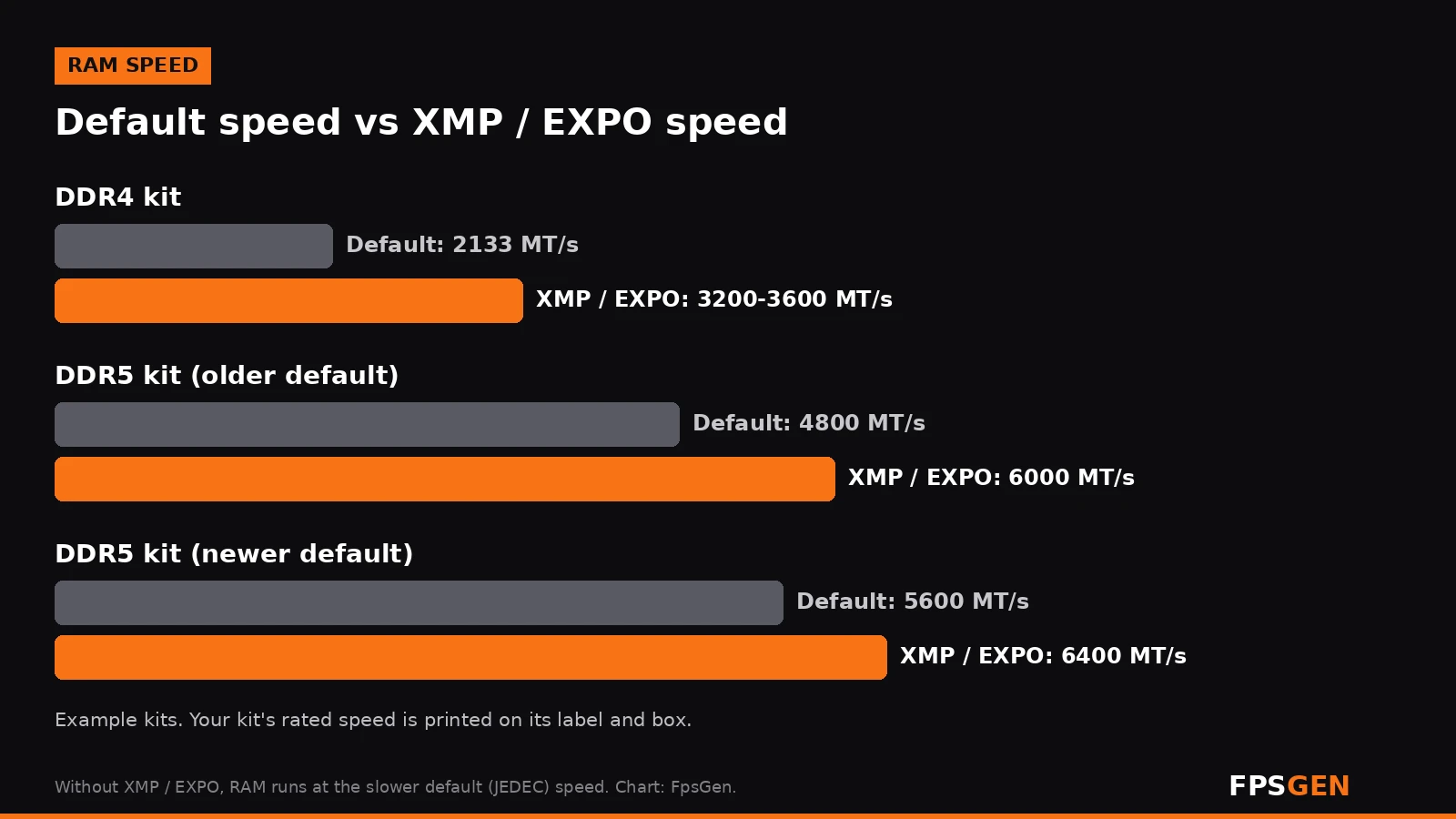
Short answer: turn XMP or EXPO on. Without it, your RAM runs at a slow default (JEDEC) speed, for example 4800 MT/s on a DDR5-6000 kit or 2133 MT/s on a DDR4-3200 kit. XMP (Intel) and EXPO (AMD) are one-click profiles that make the RAM run at the speed printed on the box. It is free performance: up to around 10% more FPS in CPU-limited games at 1080p, less at 1440p and 4K. Turn it off only if your PC crashes, freezes or will not boot with it on.
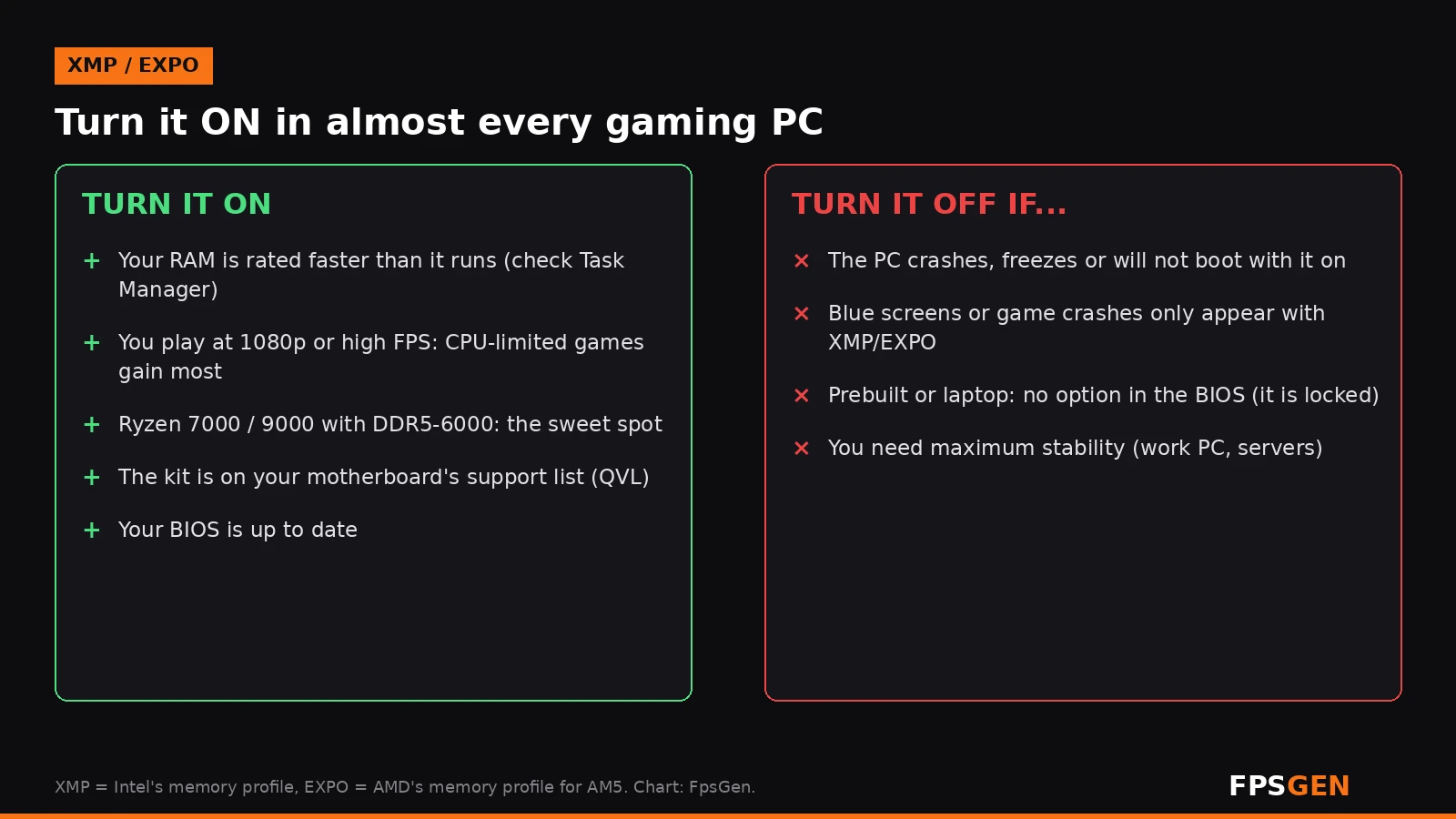
What are XMP and EXPO?
Every RAM stick has a safe default speed set by the JEDEC standard. Any PC can run it, so that is what your motherboard uses out of the box. But most gaming RAM is sold to run faster, with tighter timings, than that default. Those faster settings are stored on the RAM in a profile:
- XMP (Extreme Memory Profile) is Intel's profile. It works on Intel motherboards, and most AMD boards can read it too (sometimes under names like DOCP or A-XMP).
- EXPO (Extended Profiles for Overclocking) is AMD's profile for DDR5 on AM5 (Ryzen 7000 and 9000). Many kits include both XMP and EXPO profiles.
Turning the profile on tells the motherboard: run this RAM at its rated speed, timings and voltage.
Does XMP / EXPO increase FPS?
Yes, mostly in games where the CPU is the limit:
- 1080p and high-FPS games (esports titles, simulators, open-world games with lots of NPCs): the biggest gains. AMD has claimed up to 11% higher 1080p performance with EXPO.
- 1440p and 4K: the graphics card is usually the limit, so the gain is small.
- 1% lows (the worst frames, which you feel as stutter) often improve more than the average FPS.
- AMD Ryzen CPUs are especially sensitive to RAM speed, because the memory speed affects how fast the CPU's internal parts talk to each other.
More ways to raise FPS: How to Increase FPS on PC.
How to check if XMP / EXPO is on
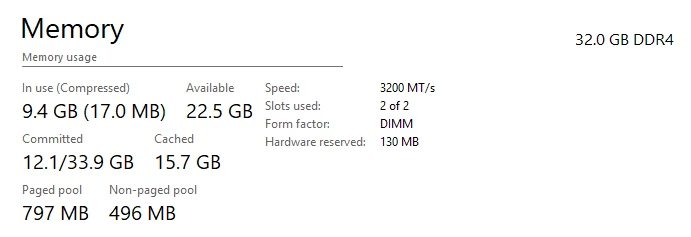
- Press Ctrl + Shift + Esc to open Task Manager.
- Go to Performance, then Memory.
- Look at Speed. If it says 4800 MT/s (DDR5) or 2133 / 2400 MT/s (DDR4) but your kit is sold as faster, XMP / EXPO is off.
Not sure what your kit is rated for? The speed is on the sticker on the RAM stick, on the box, or in our guide: How to Check Your PC Specs.
How to enable XMP or EXPO in the BIOS
- Restart the PC and press Del or F2 repeatedly to open the BIOS (UEFI).
- Look on the main page (EZ Mode) or under AI Tweaker, Extreme Tweaker, OC or Overclocking, depending on your board.
- Set XMP, EXPO or DOCP to Profile 1 (on some boards: EXPO I).
- Press F10 to save and exit.
- The first boot can take a minute or two while the board trains the memory, and the screen may stay black for a while. That is normal on DDR5. Do not turn the PC off.
- In Windows, check Task Manager again: the speed should now match your kit.
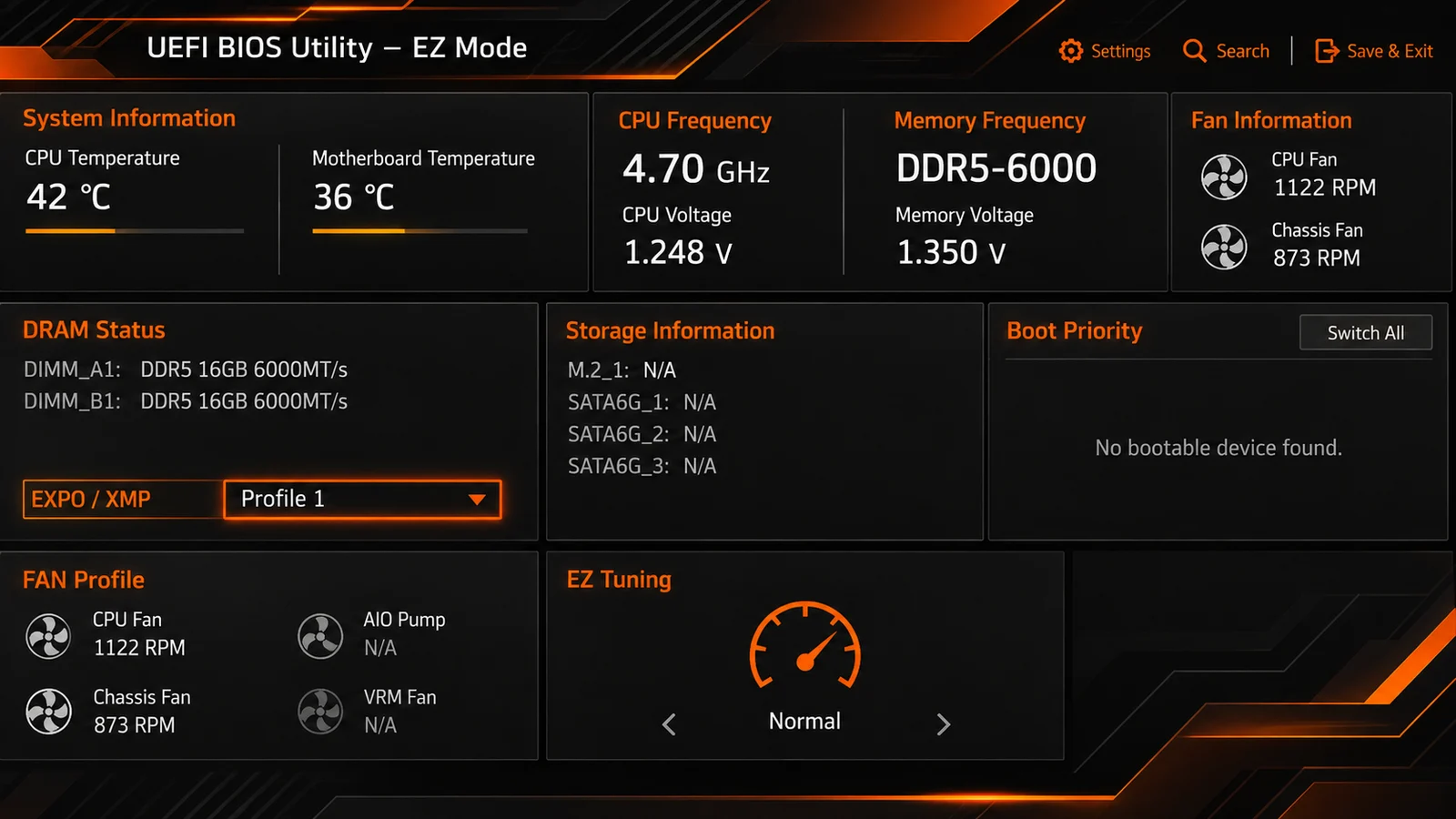
Tip: update your BIOS first. New BIOS versions often improve memory compatibility and stability.
Is XMP / EXPO safe?
For most people, yes. Millions of gaming PCs run with XMP or EXPO on, and the profile only uses settings the RAM maker has tested. But there are a few things to know:
- It is technically overclocking. AMD says that running hardware outside its published specifications, including through EXPO, can void the AMD warranty. Motherboard makers now show a similar warning in the BIOS. In practice it is the normal way gaming RAM is meant to be used, but the warning is real.
- Update your BIOS on AM5. In 2023, some Ryzen 7000 chips were damaged with EXPO on, because some boards set the SoC voltage too high. AMD fixed it with BIOS updates that limit SoC voltage to 1.3 V when EXPO is on. With a current BIOS, this is no longer a concern.
- It is the CPU's memory controller, not the RAM, that can struggle. Four sticks, very high speeds or big kits (96 GB, 128 GB) are harder to run stable.
What RAM speed is best?
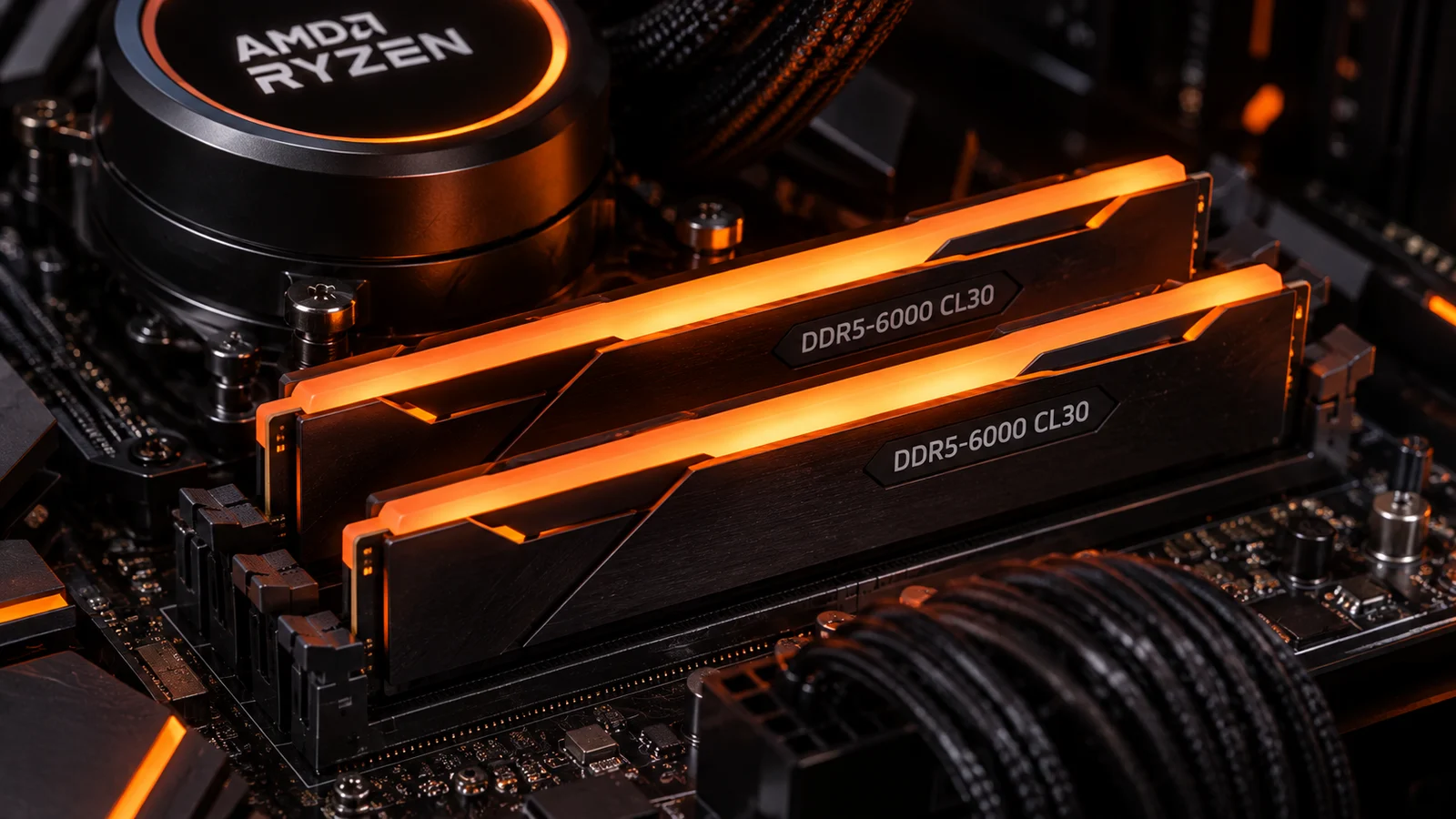
- AMD Ryzen 7000 and 9000 (DDR5): DDR5-6000 with low latency (around CL30) is the widely recommended sweet spot. Faster kits often bring little extra in games.
- Intel 12th, 13th and 14th Gen (DDR5): DDR5-6000 to 6400 is a good, stable target; these chips can run faster kits.
- Intel Core Ultra 200S: supports even faster DDR5, and benefits from it more than older Intel chips.
- DDR4 PCs: DDR4-3200 CL16 or DDR4-3600 CL16-18 are the usual sweet spots.
- Two sticks are better than four for reaching high speeds.
PC unstable after enabling XMP / EXPO? Fixes
If the PC does not boot, crashes, or shows blue screens after you turn on XMP or EXPO:
- Wait for memory training on the first boot (up to a few minutes on DDR5).
- Update the BIOS, then try again.
- Try the other profile (Profile 2 / EXPO II) if your kit has one.
- Lower the speed one step (for example from 6400 to 6000) and keep the timings from the profile.
- Make sure the sticks are in the right slots (usually A2 and B2, the 2nd and 4th slots from the CPU: check your manual).
- Check the support list (QVL) on your motherboard maker's site for your exact kit.
- If the PC will not start at all, clear the CMOS (button on the back of some boards, or the jumper on the board). The BIOS goes back to default settings and the PC boots again.
- Still unstable? Turn XMP / EXPO off. A stable PC at a lower RAM speed beats a fast one that crashes.
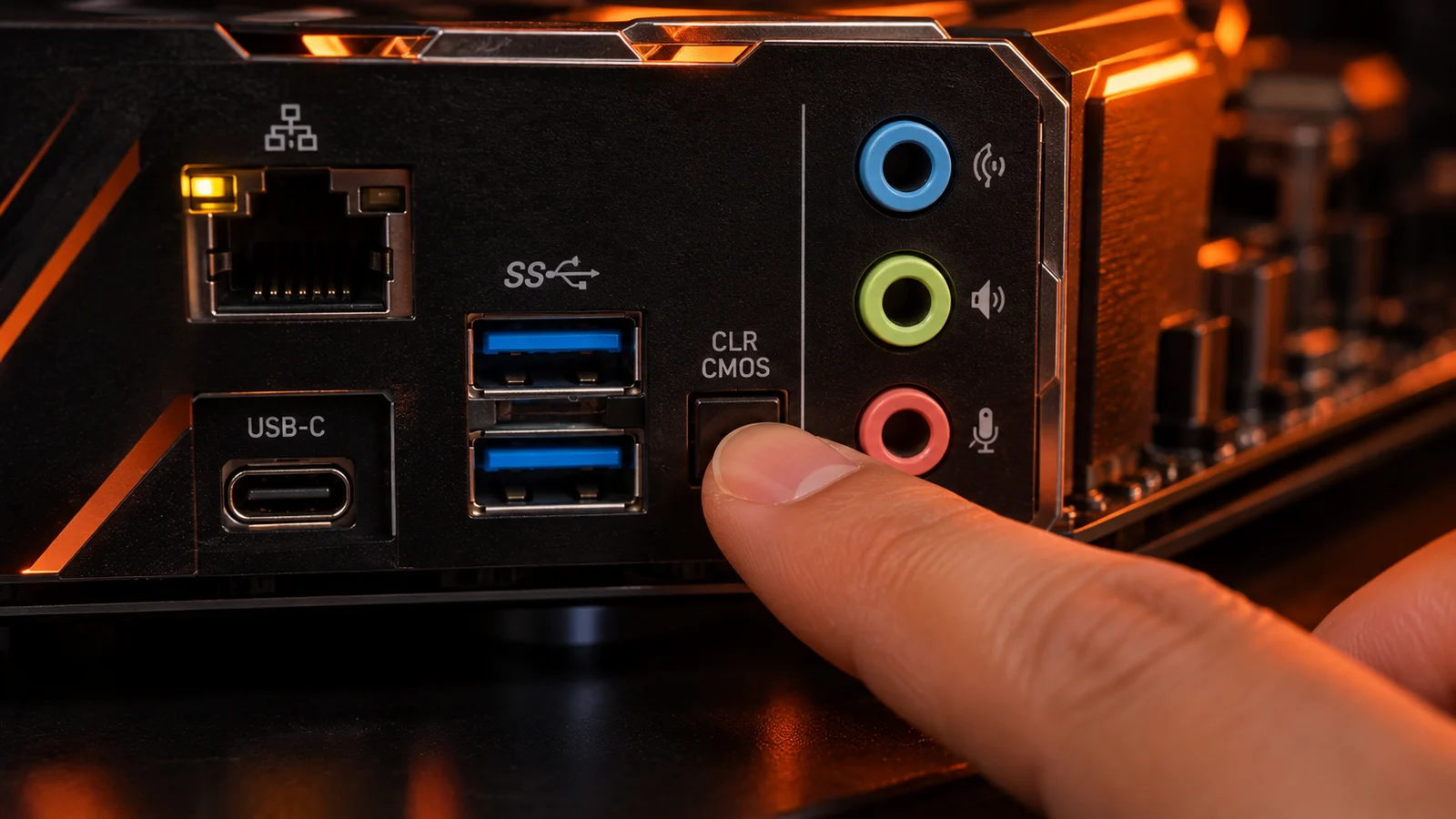
Other crash causes: an old graphics driver is one of the most common, see How to Update GPU Drivers.
Can you enable XMP on a laptop or prebuilt PC?
Laptops: almost never. Laptop RAM usually runs at its rated speed already, and the BIOS has no XMP option.
Prebuilt PCs: depends on the brand. Some ship with XMP / EXPO already on; others lock the BIOS. Check Task Manager first: if the speed matches the RAM, there is nothing to do.
Related guides
- Is 16 GB of RAM Enough for Gaming?
- How to Increase FPS on PC
- CPU Bottleneck Explained
- Normal CPU Temp While Gaming
FAQ
Should XMP / EXPO be on or off?
On, in almost every gaming PC. Without it, your RAM runs at a slower default speed. Turn it off only if the PC becomes unstable with it on.
Does XMP increase FPS?
Yes, especially at 1080p and in CPU-heavy games. AMD claims up to 11% higher 1080p performance with EXPO. At 1440p and 4K the gain is smaller.
Is it safe to enable XMP or EXPO?
For most people, yes. It is technically overclocking, and AMD says it can void the AMD warranty. On AM5 boards, update the BIOS first.
Does XMP / EXPO damage RAM?
No. The profile uses settings the RAM maker has tested and rated. On early AM5 BIOS versions, too-high SoC voltage could harm Ryzen 7000 CPUs; current BIOS versions limit it.
Can I use XMP on an AMD motherboard?
Yes, most AMD boards can read XMP profiles. On AM5, use the EXPO profile if your kit has one, as it is tuned for Ryzen.
Why is my RAM running at 4800 MT/s?
That is the DDR5 default speed. Turn on XMP or EXPO in the BIOS to run the RAM at its rated speed.
Sources: AMD EXPO technology (what EXPO is, warranty note); TechRadar: What is AMD EXPO (default speeds, AMD's 11% claim, how to enable); Tom's Hardware (Ryzen 7000 burnouts, 1.3 V SoC voltage limit). Last checked November 16, 2026.

Gaming writer at FpsGen. Guides and reviews are built on official sources, patch notes and real player data.



Comments
No comments yet. Start the conversation.