

Short answer: a normal CPU temperature is about 30-50°C at idle and 55-80°C while gaming for most desktop processors. Under full load (rendering, stress tests), modern CPUs can reach 90-100°C, and AMD and Intel design them to do so safely. The real limit is the maximum temperature (TjMax): 95°C for AMD Ryzen 7000 and 9000, 89-90°C for older X3D chips, 100°C for Intel 13th and 14th Gen, and 105°C for Intel Core Ultra 200S. If your CPU hits that limit while gaming, or idles above 60°C, your cooling needs attention.
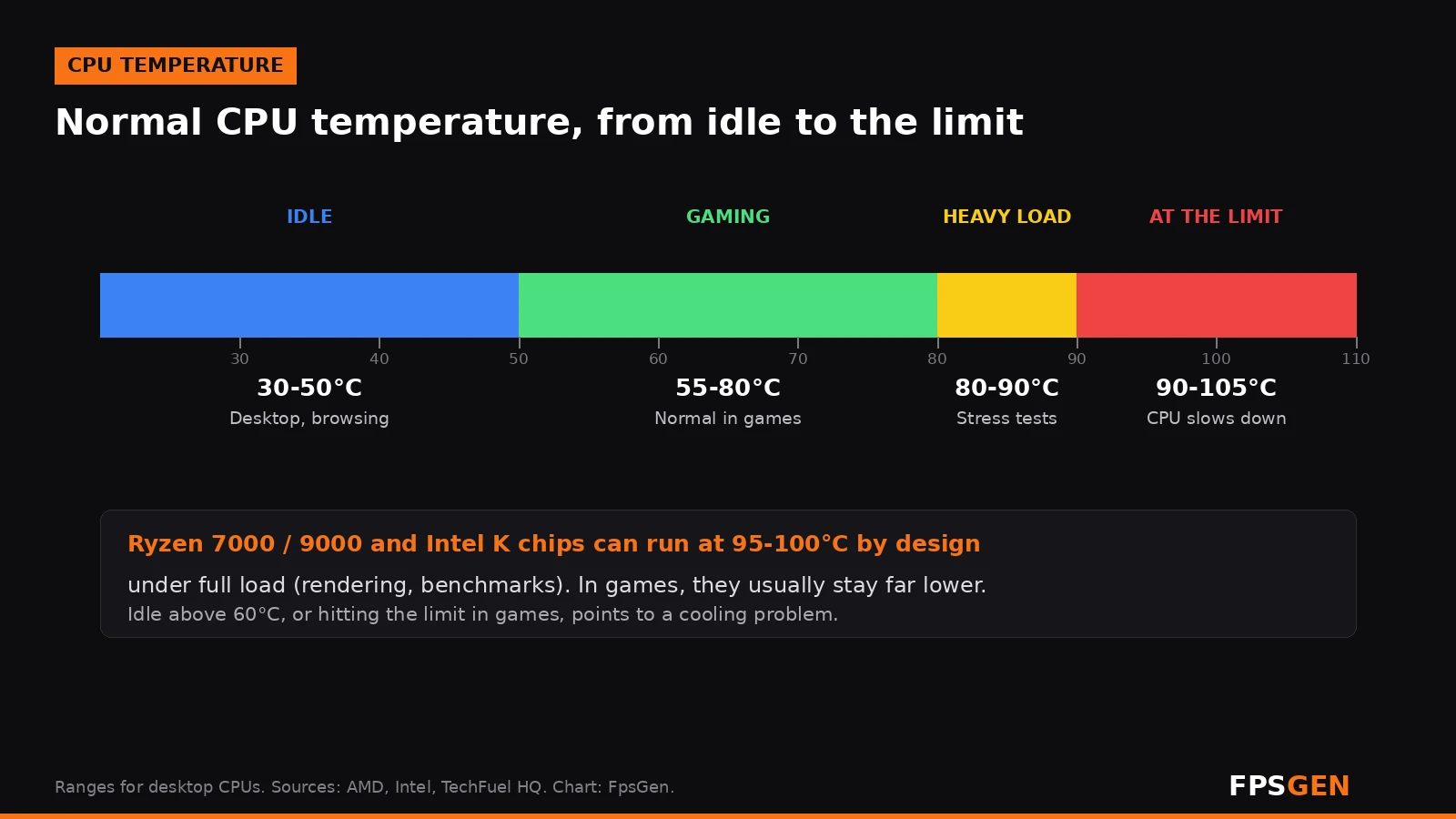
Normal CPU temperatures at a glance
| What you are doing | Normal CPU temperature |
|---|---|
| Idle (desktop, browsing) | 30-50°C |
| Gaming | 55-80°C |
| Heavy load (rendering, video export, stress test) | 80-95°C, up to the TjMax on high-end chips |
| At the limit | 89-105°C depending on the CPU: it slows down to protect itself |
Games rarely use every core at 100%, so a CPU is usually much cooler in games than in a stress test. The exact numbers depend on your cooler, case airflow, room temperature and the CPU itself: an 8-core Ryzen with a small air cooler will run hotter than a 6-core chip with a big tower cooler.
Short spikes of a few seconds, for example when a game loads or Windows updates, are normal. What counts is the temperature after 15-20 minutes of play.
Maximum CPU temperature (TjMax) by processor
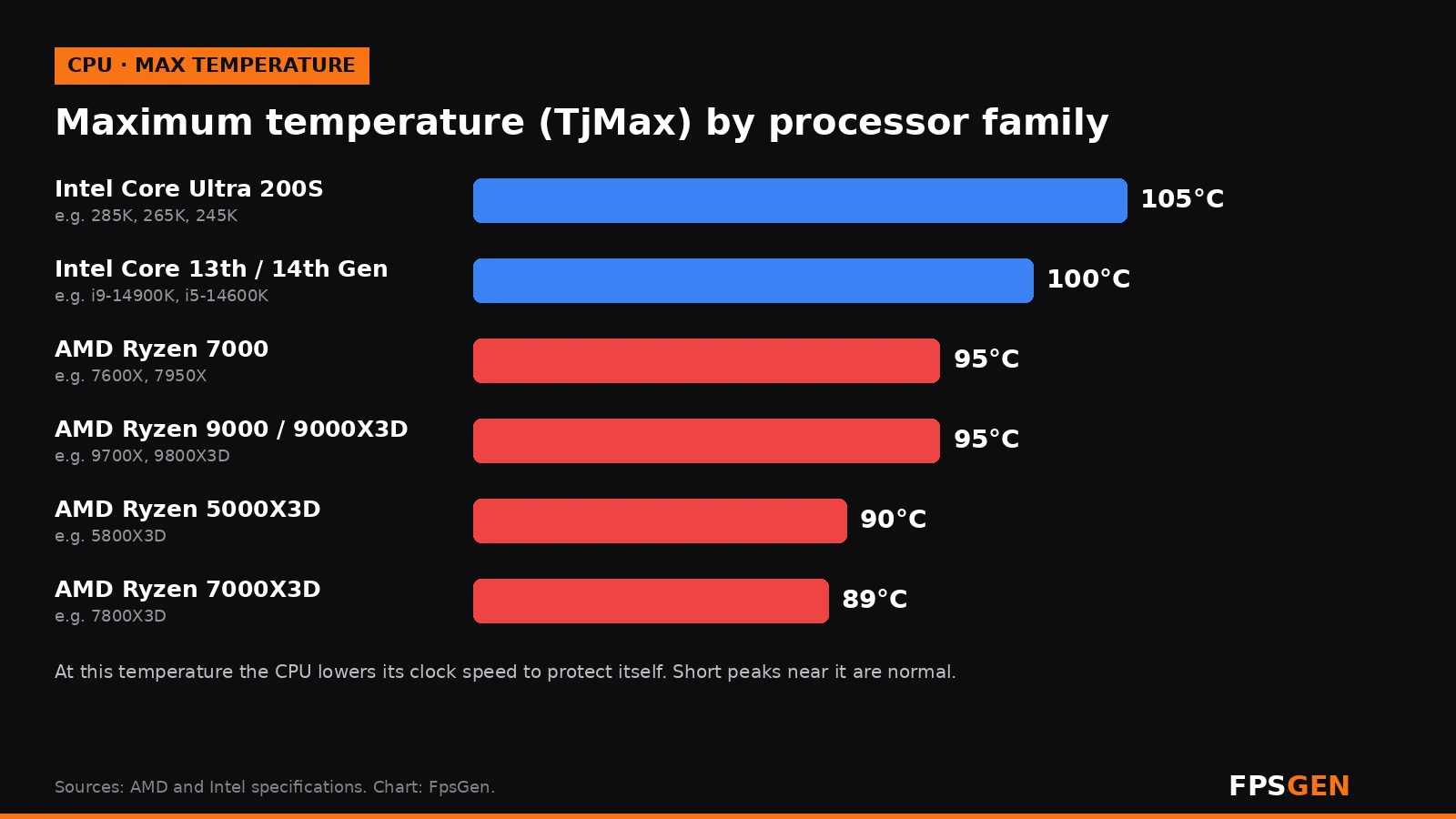
| Processor family | Examples | Maximum temperature (TjMax) | Typical gaming temperature |
|---|---|---|---|
| Intel Core Ultra 200S | Core Ultra 9 285K, 7 265K, 5 245K | 105°C | 58-76°C |
| Intel Core 13th / 14th Gen | i9-14900K, i7-14700K, i5-14600K | 100°C | 60-82°C |
| AMD Ryzen 9000 | Ryzen 5 9600X, 7 9700X, 9 9950X | 95°C | 55-74°C |
| AMD Ryzen 9000X3D | Ryzen 7 9800X3D, 9 9950X3D | 95°C | 55-73°C |
| AMD Ryzen 7000 | Ryzen 5 7600X, 9 7950X | 95°C | 60-78°C |
| AMD Ryzen 7000X3D | Ryzen 7 7800X3D | 89°C | 58-75°C |
| AMD Ryzen 5000X3D | Ryzen 7 5800X3D | 90°C | 62-78°C |
TjMax is the temperature at which the CPU starts to lower its clock speed (thermal throttling). It is a protection, not a point where the chip breaks. If it gets even hotter, the PC shuts down.
Why Ryzen 7000 and 9000 run at 95°C
Many new Ryzen owners panic when they see 95°C in a benchmark. For Ryzen 7000, AMD has explained that the chips are designed to run at 95°C for their whole lifetime: the CPU boosts as high as it can until it reaches 95°C, then holds there. A better cooler does not make it cooler at full load; it lets the chip boost higher before it reaches 95°C. AMD said the same about older Ryzen 5000 chips, calling temperatures up to 90-95°C under full load "typical and by design".
In games, a Ryzen 7000 or 9000 usually stays well below that, around 60-78°C. Intel K processors behave the same way: they can touch 100°C in heavy all-core work, especially with unlimited power limits.
When is a CPU too hot?
Your CPU temperature is a problem if:
- It idles above 60°C on the desktop.
- It reaches its TjMax while gaming, not just in a stress test.
- Your FPS drops after a few minutes of play while the CPU sits at its limit.
- The PC shuts down or restarts under load.
- The fans run at full speed all the time, even on the desktop.
How to check your CPU temperature
Windows Task Manager shows the GPU temperature, but not the CPU temperature. Use one of these free tools:
- HWiNFO: open it in Sensors-only mode and look at CPU (Tctl/Tdie) on AMD or CPU Package on Intel.
- Core Temp: small and simple, shows the temperature of each core in the taskbar.
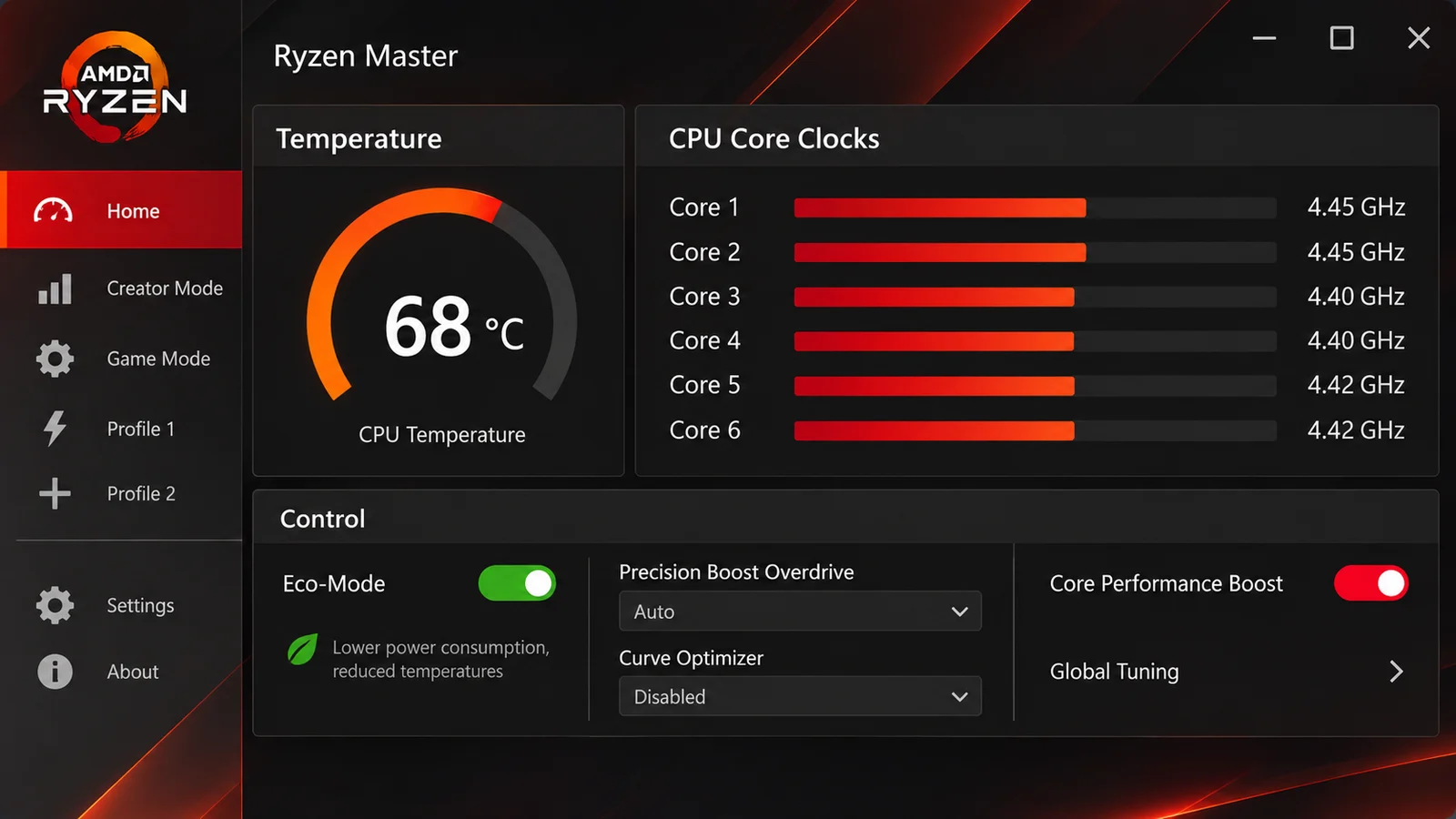
- AMD Ryzen Master (Ryzen) or Intel Extreme Tuning Utility (Intel K chips).
- MSI Afterburner with RivaTuner: shows CPU temperature in an in-game overlay, next to your FPS.
- BIOS / UEFI: shows the temperature at idle, before Windows starts.
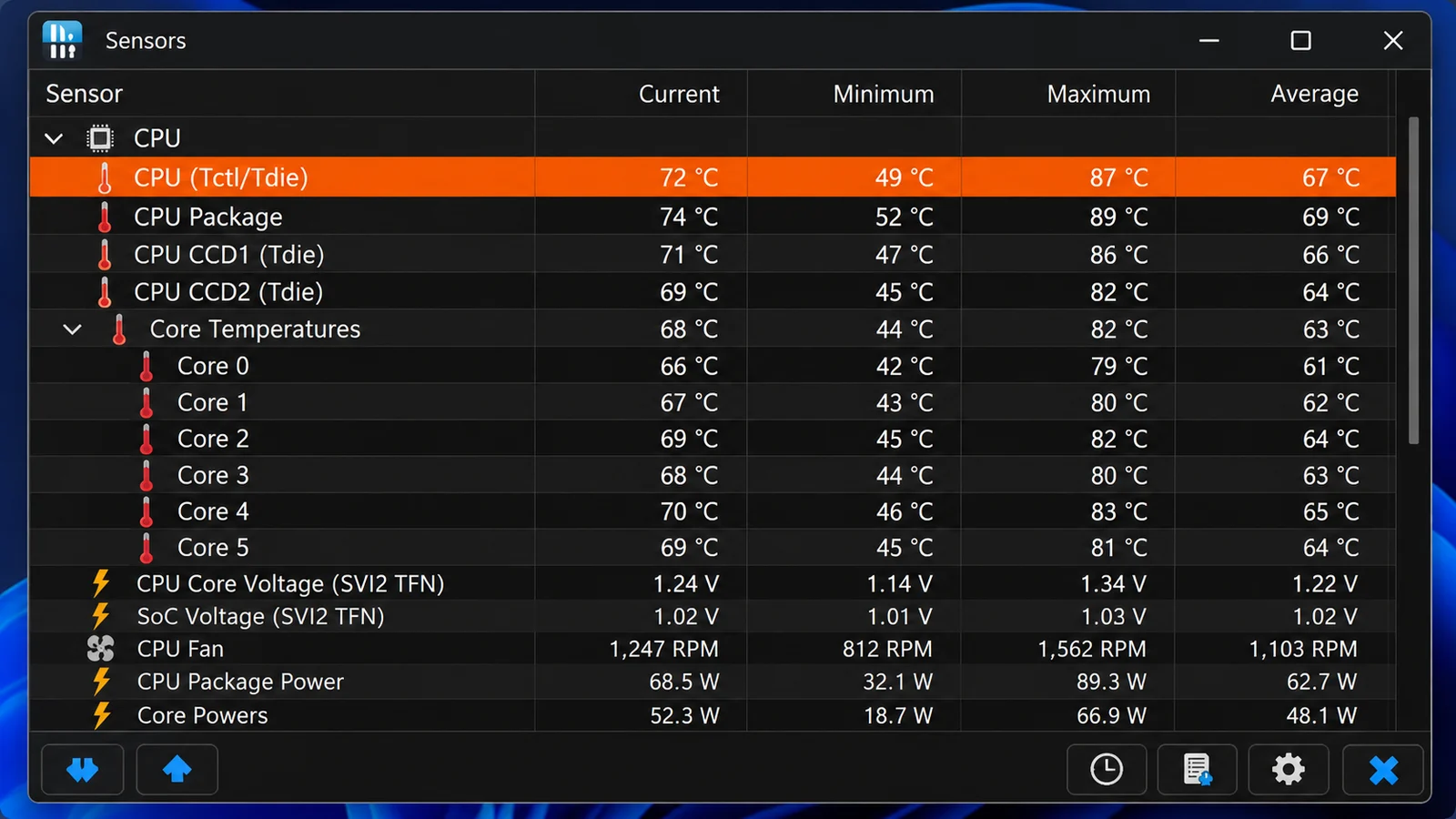
Watch the temperature during a real gaming session, not just in a short benchmark. Want to see FPS too? How to Show FPS in Games.
How to lower your CPU temperature
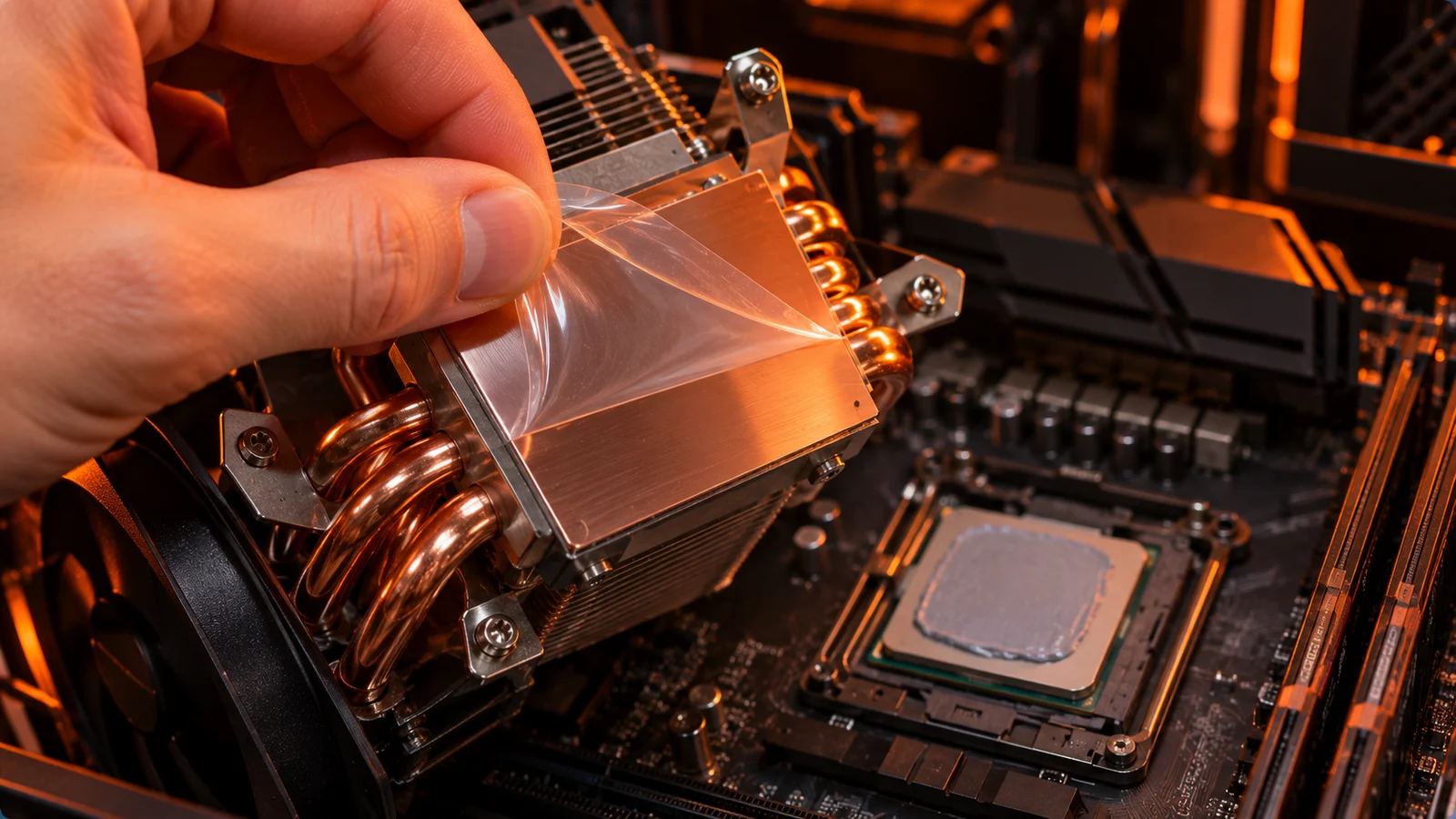
- Check the cooler mounting. A cooler that is loose, mounted at an angle, or still has its plastic film on the base causes very high temperatures right away.
- Clean the dust from the cooler fins, fans and case filters with compressed air.
- Improve case airflow: front intake, rear or top exhaust, and nothing blocking the front panel.
- Set a better fan curve in the BIOS, so the fans speed up earlier.
- Replace the thermal paste if the PC is several years old.
- Use Eco Mode or Curve Optimizer (AMD), or an undervolt (Intel), in the BIOS. This lowers heat a lot, often with almost no loss in games.
- Use Intel's default power settings on Intel 13th and 14th Gen. Some motherboards ship with unlimited power limits, which make the chip run hotter for little gain in games.
- Cap your FPS. Fewer frames mean less work for the CPU, especially in esports games running at hundreds of FPS: FPS Cap Calculator.
- Upgrade the cooler. A stock or small cooler on a high-end chip (Ryzen 9, Core i7 or i9) is often the cause. A good dual-tower air cooler or a 240-360 mm liquid cooler fixes most problems.
Normal laptop CPU temperature
Gaming laptops run hotter: 80-95°C while gaming is common, and many laptop CPUs are tuned to sit near their limit. To keep a laptop cooler, play on a hard surface, use the performance mode of its control app, clean the vents, and try a cooling pad.
Does a hot CPU lower FPS?
Only when it reaches its TjMax and throttles. Below that, a CPU at 80°C performs the same as one at 60°C. If your FPS drops in CPU-heavy games after a few minutes while the CPU sits at its limit, heat is the cause. For other reasons a CPU can hold your FPS back, see CPU Bottleneck Explained.
Related guides
Check your temperature
Not sure about your number? Pick your processor or graphics card in our free CPU & GPU Temp Checker, type the temperature you see, and it tells you if it is normal, warm or too hot for that exact chip.
FAQ
What is a normal CPU temperature while gaming?
55-80°C for most desktop processors. Gaming laptops often run at 80-95°C.
What is a normal CPU temperature at idle?
30-50°C. Above 60°C at idle usually means a cooling problem.
Is 90°C too hot for a CPU?
Not in a stress test or heavy rendering on a modern Ryzen or Intel K chip, which are built to run near 95-100°C. But 90°C while gaming is high: check the cooler and airflow.
Is 95°C normal for Ryzen 7000 and 9000?
Yes, at full load. AMD designed these chips to boost until they reach 95°C. In games they should run much cooler.
What is the max temperature for Intel 14th Gen?
100°C. Intel Core Ultra 200S processors have a maximum of 105°C.
How do I check my CPU temperature?
Use a free tool like HWiNFO, Core Temp, AMD Ryzen Master or MSI Afterburner. Windows Task Manager does not show the CPU temperature.
Sources: AMD on Ryzen 7000 running at 95°C, as reported by IT Home; AMD on Ryzen 5000 temperatures, reported by PC Gamer; TjMax values and typical gaming temperatures from TechFuel HQ; Intel 14th Gen TjMax from PC Gamer. Last checked November 16, 2026.

Gaming writer at FpsGen. Guides and reviews are built on official sources, patch notes and real player data.



Comments
No comments yet. Start the conversation.