

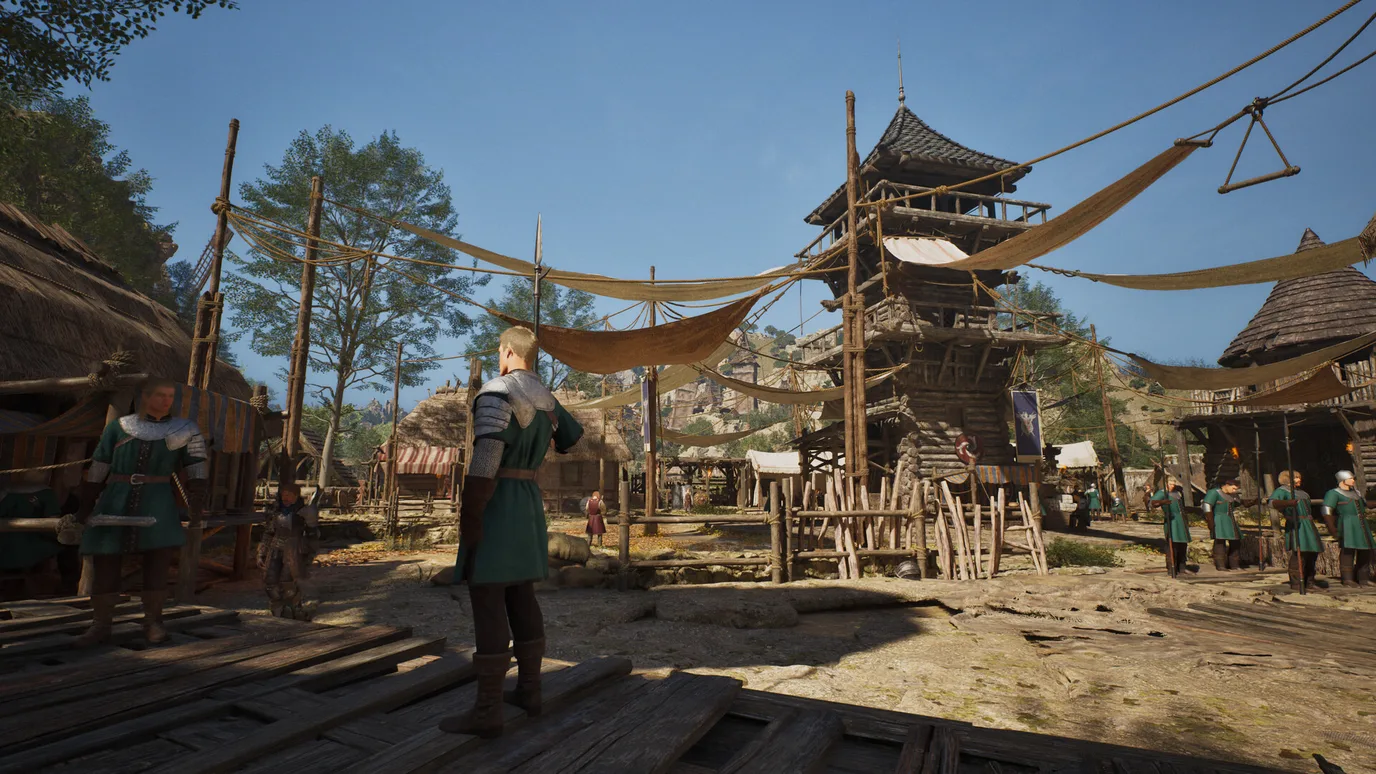
Short answer: to play ArcheAge Chronicles on PC you need Windows 10 64-bit, an Intel Core i5-10400 or Ryzen 5 3600, 16 GB of RAM, an RTX 2060 Super or RX 6600 with 8 GB of VRAM, and 100 GB on an SSD. For the recommended settings, XLGAMES asks for Windows 11, a Core i7-12700 or Ryzen 7 5700X, 32 GB of RAM and an RTX 4060 Ti 16GB or RX 7700 XT.
These specs are heavy for an MMO. Even the minimum only targets 30 FPS at 1080p on Low, and that is with upscaling turned on.
ArcheAge Chronicles PC system requirements
These are the official requirements from the Steam page:
| Minimum | Recommended | |
|---|---|---|
| Operating system | Windows 10 64-bit | Windows 11 64-bit |
| Processor | Intel Core i5-10400 / AMD Ryzen 5 3600 | Intel Core i7-12700 / AMD Ryzen 7 5700X |
| Memory | 16 GB RAM | 32 GB RAM |
| Graphics card | RTX 2060 Super / RX 6600 (8 GB VRAM) | RTX 4060 Ti 16GB / RX 7700 XT (12 GB VRAM) |
| DirectX | Version 12 | Version 12 |
| Storage | 100 GB, SSD required | 100 GB, SSD required |
| Target | 30 FPS, 1080p, Low, upscaling on Quality | 60 FPS, 1080p, High, upscaling on Quality |

ArcheAge Chronicles at a glance
| Release date | November 3, 2026 (Early Access) |
| Developer / publisher | XLGAMES |
| Price on Steam | $29.99 |
| Steam reviews | Mixed (53% of about 1,550 reviews) |
| Early Access length | About 9 to 12 months, according to XLGAMES |
| Type | Action MMORPG with life skills, housing and PvP |
| Languages | English, Korean (full audio), Simplified and Traditional Chinese |
What the requirements mean for your PC
Upscaling is part of the specs
This is the most important detail. Both targets assume upscaling on Quality mode (DLSS, FSR or XeSS). So the RTX 2060 Super does not render real 1080p: it renders a lower resolution and scales it up, and still only aims for 30 FPS on Low. For an MMO with big crowds and PvP, plan to stay above the minimum if you can. Learn how upscaling works in AMD FSR Explained.
8 GB of VRAM is the floor
The minimum card must have 8 GB of graphics memory, and the recommended specs ask for 12 to 16 GB. That rules out 6 GB cards such as the RTX 2060 (non-Super) and GTX 1660. If you are buying a card now, take one with 12 GB or more. Read How Much VRAM Do You Need for Gaming?
| Your graphics card | Expected result |
|---|---|
| GTX 1660 Super, GTX 1080, RTX 2060 6GB, RTX 3050, RX 5600 XT | Below the minimum |
| RTX 2060 Super, RTX 2070, RX 6600, Arc A750 | Minimum: 1080p Low, about 30 FPS with upscaling |
| RTX 3060 12GB, RTX 4060, RTX 5060, RX 6650 XT, RX 7600, Arc B580 | Between minimum and recommended |
| RTX 4060 Ti 16GB, RTX 5060 Ti 16GB, RX 7700 XT, RX 9060 XT 16GB | Recommended: 1080p High, about 60 FPS with upscaling |
| RTX 4070, RTX 5070, RX 7800 XT, RX 9070 and newer | Above recommended: 1440p or more FPS |
These tiers are FpsGen estimates based on the official specs. Cards with 8 GB (RTX 3070, RTX 4060 Ti 8GB, RX 6650 XT) have the speed, but may need lower texture settings. Compare cards in our GPU Tier List 2026.
16 GB of RAM minimum, 32 GB recommended
With 8 GB, the game is below the minimum. 16 GB works, but the recommended 32 GB helps in cities and large fights where many players load at once. Read Is 16GB RAM Enough for Gaming?
100 GB on an SSD
An SSD is required. On a hard drive, expect long loads and textures popping in, especially in busy areas.
The processor
The minimum i5-10400 and Ryzen 5 3600 are 6-core processors. The recommended i7-12700 and Ryzen 7 5700X have more cores, which helps with many players on screen. Check your combo with the Bottleneck Calculator.

Tips for better FPS
- Turn on DLSS, FSR or XeSS on Quality first: the official targets already count on it.
- Lower shadows and crowd or player draw distance in busy cities and PvP.
- On an 8 GB card, set textures to Medium to avoid stutter.
- Close your browser and other apps if you have 16 GB of RAM.
- More tips: How to Increase FPS on PC.
How to check your PC
- Find your processor, graphics card and RAM in one click with Check My PC.
- Not sure what you have? Follow How to Check PC Specs.
- See what FPS to expect in other games with the FPS Estimator.
FAQ
What are the minimum requirements for ArcheAge Chronicles?
Windows 10 64-bit, an Intel Core i5-10400 or Ryzen 5 3600, 16 GB of RAM, an RTX 2060 Super or RX 6600 with 8 GB of VRAM, and 100 GB on an SSD.
Can I run ArcheAge Chronicles on a GTX 1660 or RTX 2060?
Not officially. Both are below the minimum: the GTX 1660 and the regular RTX 2060 have only 6 GB of VRAM, and the minimum asks for 8 GB.
Can I run ArcheAge Chronicles with 8 GB of RAM?
No. The minimum is 16 GB, and 32 GB is recommended.
How big is ArcheAge Chronicles?
100 GB, and an SSD is required.
Is ArcheAge Chronicles free to play?
No. It costs $29.99 on Steam and is in Early Access.
When did ArcheAge Chronicles come out?
November 3, 2026, in Early Access on Steam. XLGAMES expects Early Access to last about 9 to 12 months.
Sources: Steam store page (official requirements, release date, price, reviews, Early Access plans). Graphics card tiers are FpsGen estimates. Last checked November 4, 2026.

Gaming writer at FpsGen. Guides and reviews are built on official sources, patch notes and real player data.

Comments
No comments yet. Start the conversation.