

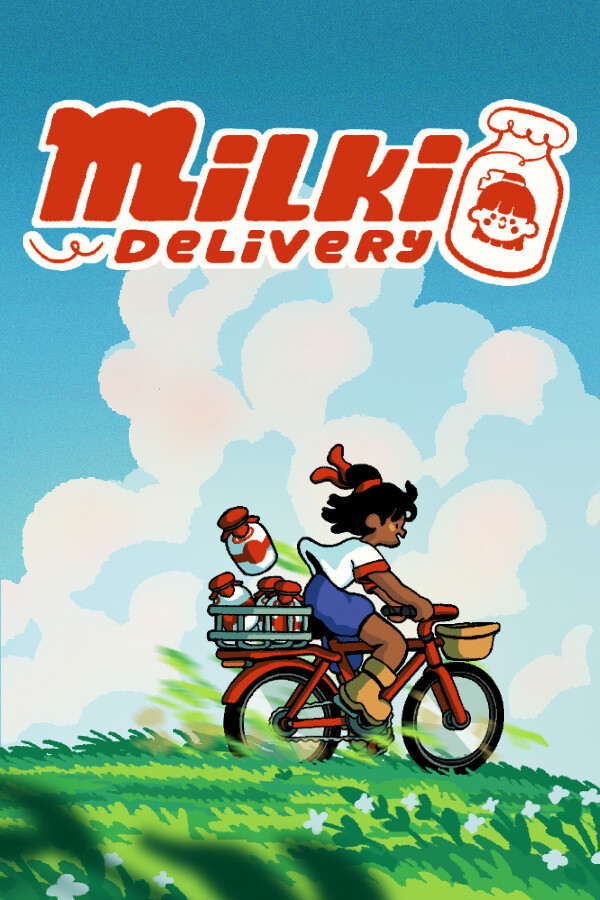
Pick your graphics card, processor and RAM below and we compare them with the official Milki Delivery system requirements. You get a clear answer, the settings to use and what to upgrade if your PC falls short.
Pick your hardware and we compare it with the official Milki Delivery requirements.
| Minimum | Recommended | |
|---|---|---|
| OS | Windows 10 version 21H1 (build 19043) or newer | Windows 10 version 21H1 (build 19043) or newer |
| CPU | x86, x64 architecture | x86, x64 architecture |
| RAM | 4 GB | 4 GB |
| GPU | Integrated graphics should be enough | Integrated graphics should be enough |
| Storage | 300 MB | 300 MB |
Source: official Milki Delivery website. Results are estimates based on relative hardware performance.
How many FPS will you get in Milki Delivery? Open the FPS estimator →
| Minimum | Recommended | |
|---|---|---|
| Operating system | Windows 10 version 21H1 (build 19043) or newer | Windows 10 version 21H1 (build 19043) or newer |
| Processor | x86, x64 architecture | x86, x64 architecture |
| Memory | 4 GB | 4 GB |
| Graphics card | Integrated graphics should be enough | Integrated graphics should be enough |
| Storage | 300 MB | 300 MB |
Source: store.steampowered.com. Requirements can change with game updates.
The official lists only name one or two parts. These are other common parts with the same performance, so you can see quickly where your PC stands.
Quick answers for the most common graphics cards (your processor and RAM must meet the minimum too).
Milki Delivery needs at least Windows 10 version 21H1 (build 19043) or newer, a x86, x64 architecture processor, 4 GB of RAM, a Integrated graphics should be enough graphics card and 300 MB of storage.
For smooth gameplay the recommended specs are a x86, x64 architecture processor, 4 GB of RAM and a Integrated graphics should be enough graphics card.
Yes. 8 GB of RAM meets the minimum for Milki Delivery and even the recommended specs.
Yes — on High to Max settings. This assumes your processor and RAM meet the minimum too.
No, Milki Delivery is a paid game on PC.
Milki Delivery needs 300 MB of free space.
 Can I run Phantom Blade Zero?
 Can I run Football Manager 27?
 Can I run The Wolf Among Us Remastered?
 Can I run Crimson Desert?
 Can I run GTA 6?
 Can I run Am I Nima?
 Can I run Carry On Together?
 Can I run Grand Theft Timeline?
 Can I run Rock Band Simulator?
 Can I run Toto's Journey?
 Can I run Blacksmith Master?
 Can I run Dungeonbound?