

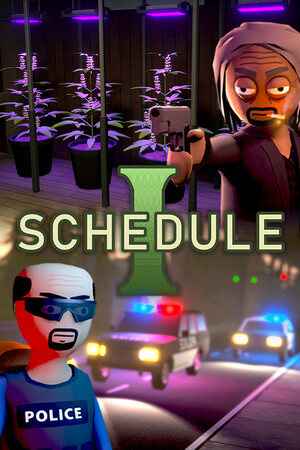
Pick your graphics card, processor and RAM below and we compare them with the official Schedule I system requirements. You get a clear answer, the settings to use and what to upgrade if your PC falls short.
Pick your hardware and we compare it with the official Schedule I requirements.
| Minimum | Recommended | |
|---|---|---|
| OS | Windows 10 (64-bit) | Windows 10 (64-bit) |
| CPU | 3GHz 4-Core or similar | 3.5GHz 6-Core or similar |
| RAM | 8 GB | 16 GB |
| GPU | GeForce GTX 1060 6GB or Radeon RX 580 | GeForce RTX 3060 or Radeon RX 6700 |
| Storage | 8 GB | 10 GB |
Source: official Schedule I website. Results are estimates based on relative hardware performance.
How many FPS will you get in Schedule I? Open the FPS estimator →
| Minimum | Recommended | |
|---|---|---|
| Operating system | Windows 10 (64-bit) | Windows 10 (64-bit) |
| Processor | 3GHz 4-Core or similar | 3.5GHz 6-Core or similar |
| Memory | 8 GB | 16 GB |
| Graphics card | GeForce GTX 1060 6GB or Radeon RX 580 | GeForce RTX 3060 or Radeon RX 6700 |
| Storage | 8 GB | 10 GB |
Source: store.steampowered.com. Requirements can change with game updates.
The official lists only name one or two parts. These are other common parts with the same performance, so you can see quickly where your PC stands.
Quick answers for the most common graphics cards (your processor and RAM must meet the minimum too).
Schedule I needs at least Windows 10 (64-bit), a 3GHz 4-Core or similar processor, 8 GB of RAM, a GeForce GTX 1060 6GB or Radeon RX 580 graphics card and 8 GB of storage.
For smooth gameplay the recommended specs are a 3.5GHz 6-Core or similar processor, 16 GB of RAM and a GeForce RTX 3060 or Radeon RX 6700 graphics card.
Yes. 8 GB of RAM meets the minimum for Schedule I, but 16 GB is recommended for the smoothest experience.
Barely — it is below the official minimum, expect low FPS on the lowest settings. This assumes your processor and RAM meet the minimum too.
No, Schedule I is a paid game on PC.
Schedule I needs 8 GB at minimum, and 10 GB is recommended.
 Can I run War Thunder?
 Can I run NTE: Neverness to Everness?
 Can I run Phantom Blade Zero?
 Can I run Where Winds Meet?
 Can I run Resident Evil Veronica?
 Can I run Call of Duty: Modern Warfare 4?
 Can I run Zenless Zone Zero?
 Can I run BeamNG.drive?
 Can I run Overwatch®?
 Can I run Rocket League®?
 Can I run Total War: WARHAMMER III?
 Can I run Warframe?